What You Can Trade
Spreads
Trade multi-leg option spreads from your signals: which brokers handle them, the fields a Spreads strategy shows, and how risk and exits work.
A spread is a multi-leg option position: two or more option legs on the same underlying, bought and sold together as one order. TradeLabs reads the whole leg structure from your signal and submits it as a single spread order. The parser handles verticals, calendars, diagonals, iron condors, iron butterflies, straddles, and strangles.
Spreads share almost every field with single-leg Options. The one real difference is that the trade carries at least two legs and a net price instead of one contract.
Spread details come from the free-text body of a signal, so a Spreads strategy reads its trades from a Discord or Telegram provider that posts full spread alerts.
Which brokers trade spreads
Spreads run on three brokers: the single-leg Options set without Charles Schwab. When you pick Spreads as the instrument, the broker choice is restricted to these three accounts, and a Spreads strategy routes to one broker at a time.
| Broker | What it adds |
|---|---|
| Tradier | Market or limit entry, smart expiration |
| Interactive Brokers | Market or limit entry |
| Robinhood | Limit entry only |
If a spread signal fires on a strategy pointed at any other broker, the trade is skipped rather than filled.
Spreads generally need a margin account with spread-level options approval. Most brokers reject a spread placed in a cash account. Check this before you go live:
- Account type: margin, not cash. Under $25,000 that means Pattern Day Trader rules apply, so watch your day-trade count.
- Options approval: your broker must approve you for spreads. Brokers usually call this Level 2 or Level 3. Request it in the broker’s account settings if your current level only covers buying single calls and puts.
Charles Schwab trades single-leg options but not spreads. A multi-leg order needs Level 2 options approval at Schwab, and the path has not been placed end to end yet, so the broker is left out of the Spreads picker instead of failing mid-signal. See the Schwab page for the detail.
Stop loss, take profit, and trailing stop run app-side on Tradier, because Tradier rejects a bracket attached to a multi-leg order. TradeLabs watches the position and closes it when your exit is hit.
Set up a Spreads strategy
Open the Strategies page, create or edit a strategy, and set the instrument to Spreads. That reveals the options-style fields below. For ready settings, use the Option Spreads template.
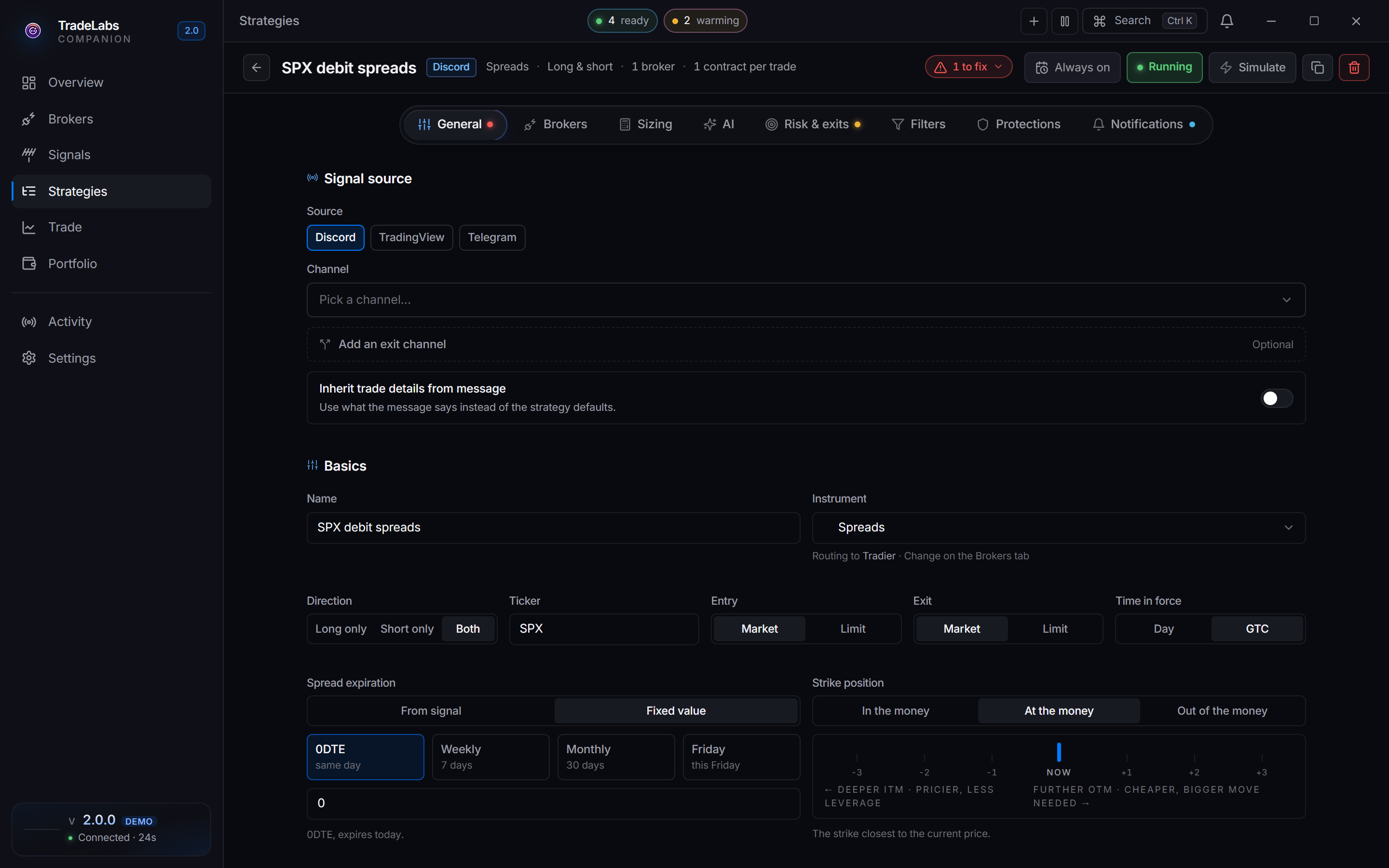
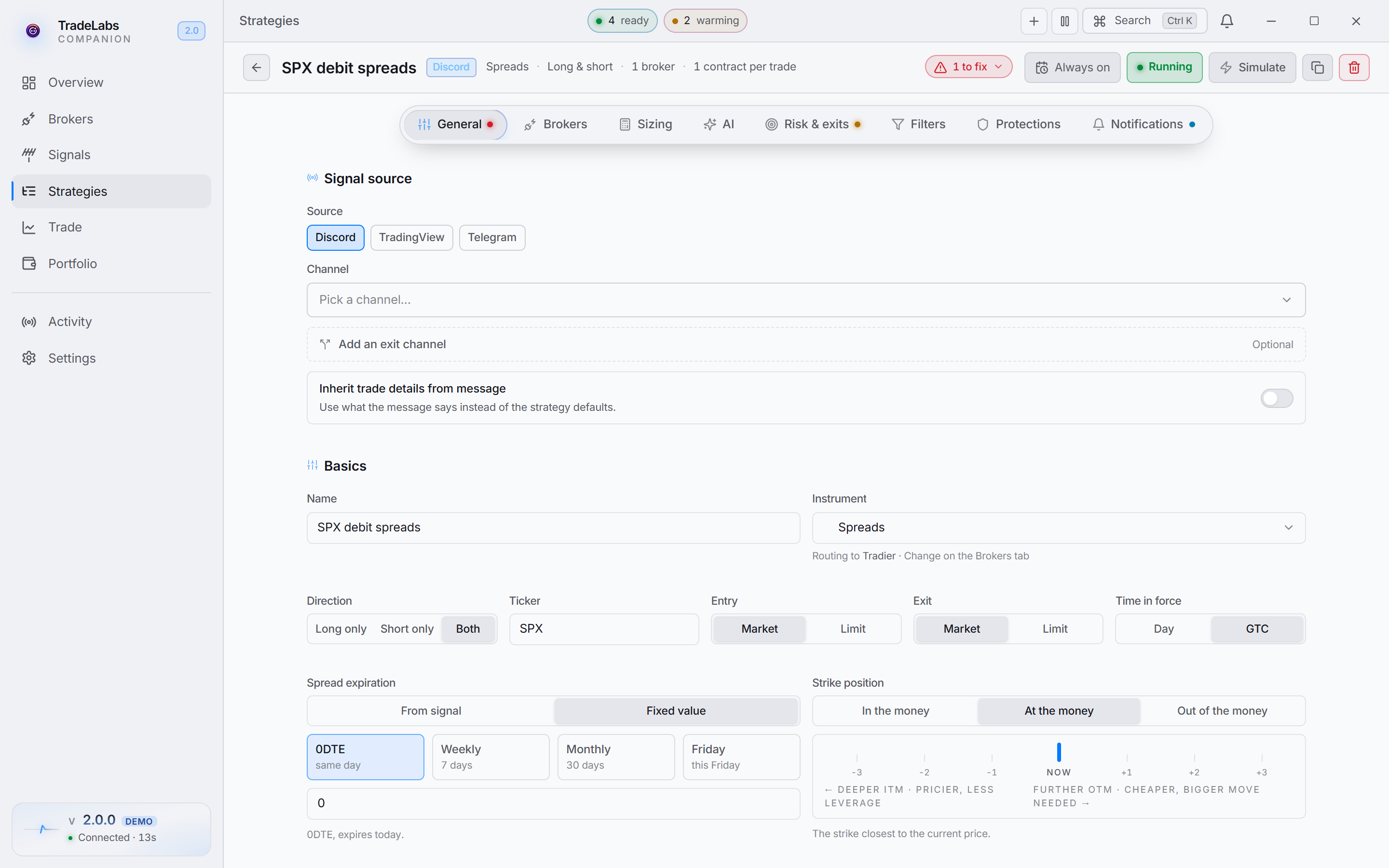 Spreads use the same expiration, strike position, and direction fields as single-leg Options
The fields a Spreads strategy shows
Turn on Inherit trade details from message (Signal source section, General tab) if you’re copying someone’s spreads rather than running your own. It pins Ticker to ALL, the expiration to read from the message, and the strike offset to 0, then fills all three from each call — so you get the legs that were actually called instead of the closest match to your defaults. Discord and Telegram only.
- Direction — Long only, Short only, or Both. It filters which spread signals the strategy acts on. Long only skips sell-to-open spreads, while Short only and Both take them. See Selling to open a spread.
- Expiration — a fixed number of days (for example
0for same-day or7for a week out), a weekday name, or-1to read the expiration straight from the signal text. Turning on Inherit trade details from message sets this to-1for you. Either way it only works on Discord and Telegram, the sources that parse a message body. - Strike position — In the money, At the money, or Out of the money.
- Entry and Exit — Market or Limit on Tradier and IBKR. Robinhood has no market option order at all, so a Robinhood spread strategy is limit-only and the Market choice is hidden.
- Smart expiration detection: Tradier and IBKR. Resolves a vague or expired signal date to the next valid expiration. Protections tab in the app; Instrument details → Behavior in the web builder.
- Smart price override — Tradier, IBKR, and Robinhood. Biases the limit toward the live quote when it is newer than the signal price. Protections tab in the app; Execution in the web builder.
What a spread call looks like
With Inherit trade details from message on, a call that names both strikes, the type and the expiry is copied leg for leg:
BTO SPY 450/455 call spread 1/19 @ 1.20That buys the 450 call and sells the 455 call expiring January 19, as one order at a $1.20 net debit. A close always exits every leg at once. There is no partial exit or trim on a spread, so a “trim half” message closes the whole spread.
Selling to open a spread
An alert that sells a spread to open it (STO) now trades. The usual case is a credit spread, which pays you up front: you collect the credit and close it later by buying it back for less. For example, this alert opens a credit spread:
STO SPX 0DTE 7830/7835 CALL Credit Spread @ 2.65That sells the 7830 call and buys the 7835 call as one order for a $2.65 net credit. It works on Tradier, Interactive Brokers, and Robinhood. Both legs are always placed together, so on a vertical the most you can lose is the width between the strikes minus the credit you collected.
- Who receives it: a strategy set to Short only or Both. A strategy set to Long only skips every sell-to-open spread, credit or debit, and shows the reason on the signal.
- Closing it: a close alert such as “BTC SPX 7830/7835 @ 0.40” or “closed SPX 7830/7835 @ 0.50” buys the spread back and closes both legs.
- Exits: on Interactive Brokers and Robinhood, stop loss, take profit, and trailing stop watch what it would cost to buy the spread back. A take profit triggers when that cost falls below the credit you collected.
Plain single-leg Options strategies still never sell to open. Selling to open is for spreads, where the second leg caps the risk.
Risk and exits
Spreads support the full set of exits. On Tradier they run app-side, since Tradier will not accept a bracket on a multi-leg order.
- Stop loss — a dollar amount or a percent.
- Take profit — a dollar amount or a percent, with a take-profit behavior for closing all at once or selling in stages.
- Trailing stop — available on spreads. It follows the position and locks in gains as the spread moves your way.
- Slippage cap: on Interactive Brokers the cap compares the net price in your alert with the live price of the spread, for credit spreads as well as debit spreads. An alert far from the live price is refused instead of filled.
A spread caps both its risk and its upside by design. Adding a stop loss or take profit layers on top of that defined range; it does not remove the built-in cap.
Next steps
- Set up the broker you plan to route to: Tradier, IBKR, or Robinhood.
- Start from ready settings with the Option Spreads template.