Brokers
Wellstrade
Connect a Wellstrade account through your Wells Fargo investing login: what it supports, how to sign in through the app, and how to fix common connection problems.
Wellstrade is Wells Fargo’s online brokerage. TradeLabs signs in through your Wells Fargo investing login and drives a real Chrome window in the background to place trades. It works as an RSA fan-out target and for manual stock trades, and it can manage several accounts at once.
| What it trades | Supported |
|---|---|
| RSA (reverse split arbitrage) | Yes |
| Stocks | Manual orders only, from the Trade page. An automated Stocks strategy routes to Tradier, IBKR, Robinhood, or STG / DAS instead. |
| Options, spreads, crypto | No |
Wellstrade signs in like you would on wellsfargo.com, so it needs a moment to wake up and it asks for a texted verification code the first time. That is normal for a browser-driven broker.
Before you start
- A Wells Fargo investing (Wellstrade) account. If you already bank with Wells Fargo, open one online at wellsfargo.com/investing/wellstrade-online-brokerage or from the Wells Fargo app. Approval is often instant, otherwise about a day.
- No Wells Fargo relationship yet? Call Wells Fargo customer support to open your first Wellstrade account, then finish their verification.
- Your Wells Fargo online login (the same username and password you use on the website).
- The phone Wells Fargo has on file for text messages, so you can receive the verification code.
- The TradeLabs Companion installed and running.
Adding several accounts for RSA? The limit is 10 accounts in total per person. You can mix cash and IRA accounts however you like, but never go over 10. Open them one at a time, no faster than one every 3 days, so they clear approval cleanly.
Connect it in the app
-
Open the Brokers page, find the Wellstrade card, and click Add account.
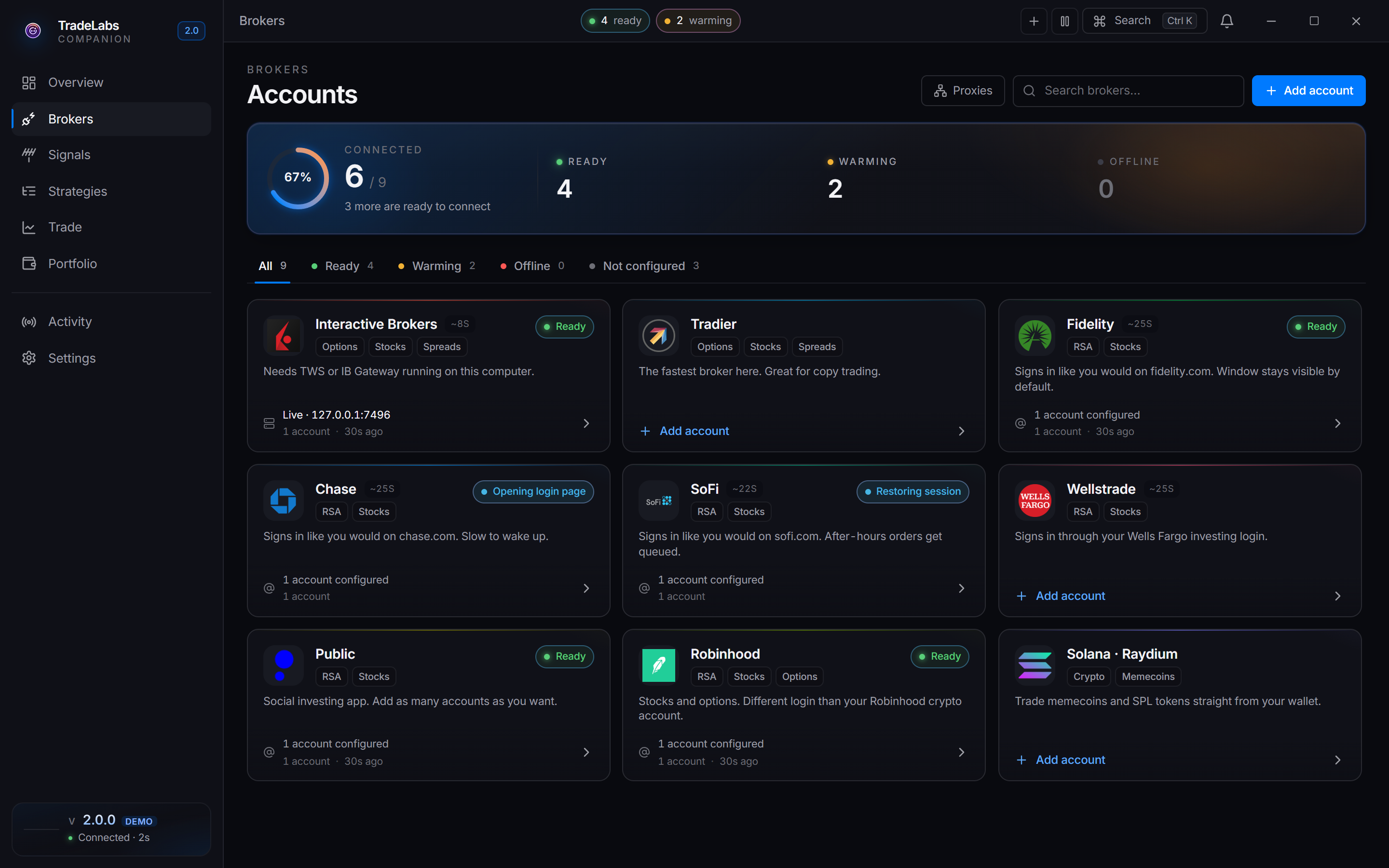
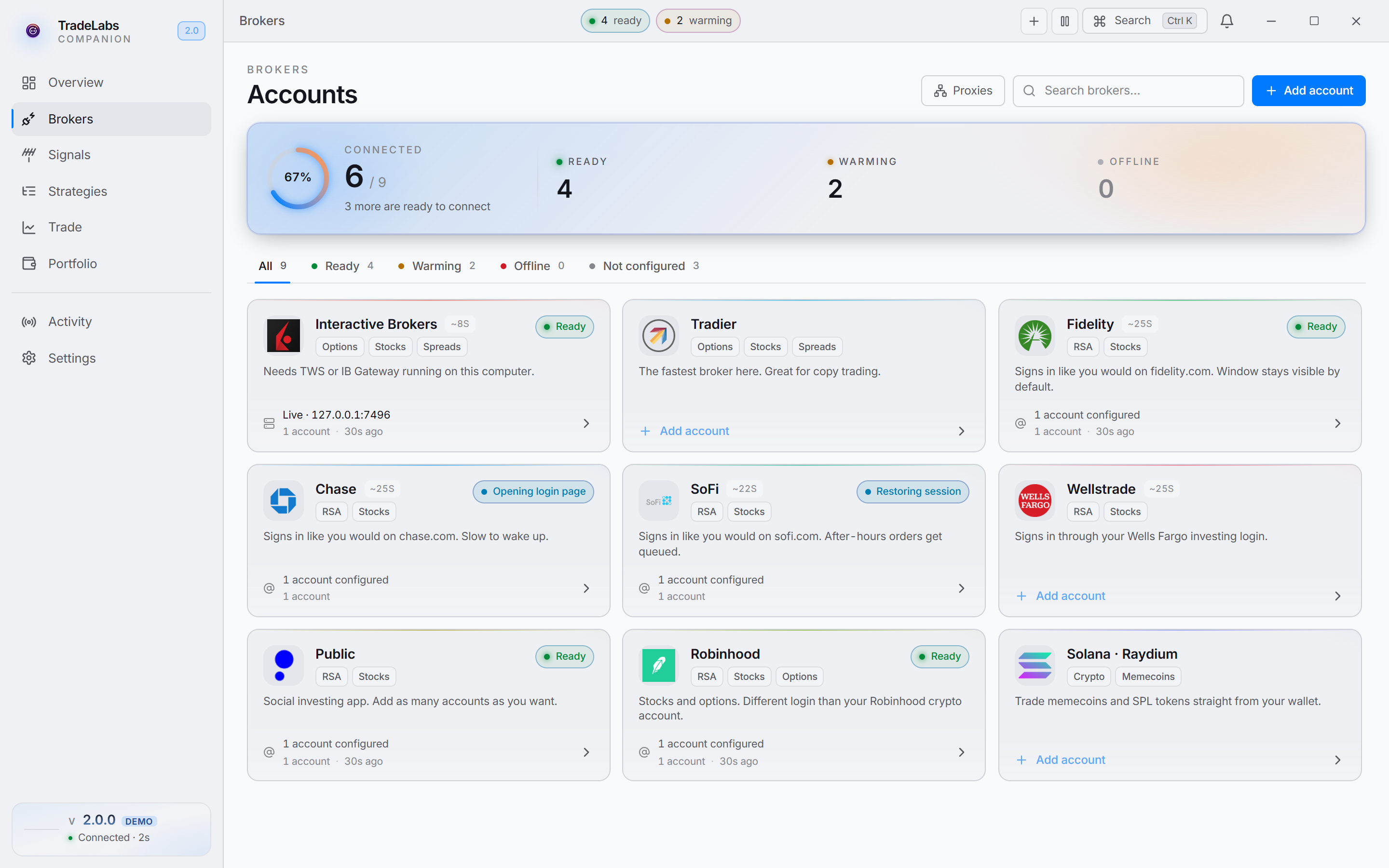 Click a broker card, then Add account, to open the connect form
 -
Fill in the connect form:
- Username — your Wells Fargo login.
- Password — your Wells Fargo password.
- Phone (optional) — the number Wells Fargo texts your code to, in the form
+1XXXXXXXXXX. - 2FA code (optional) — leave this blank for now. You can type the texted code here later, or wait for the sign-in prompt.
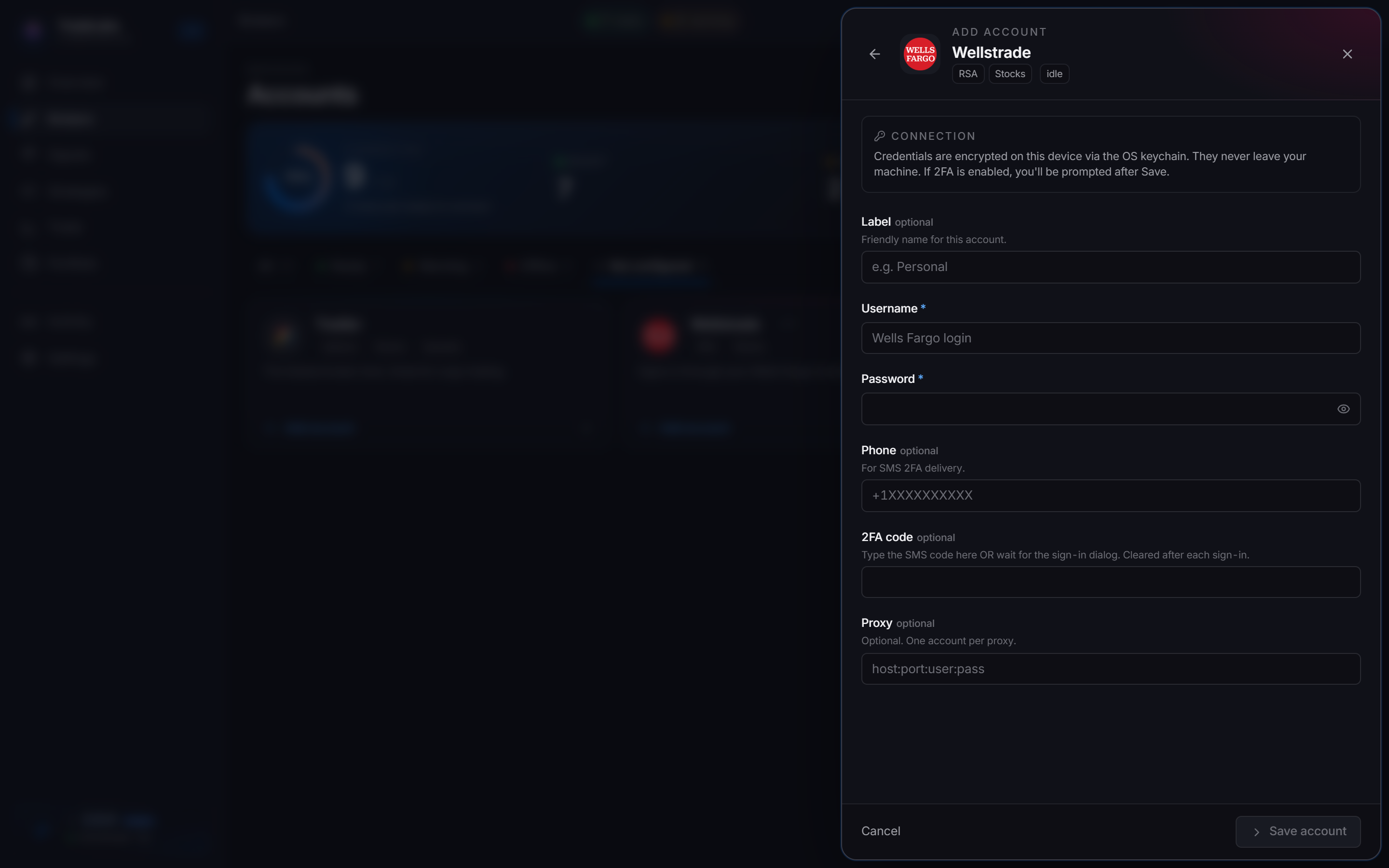
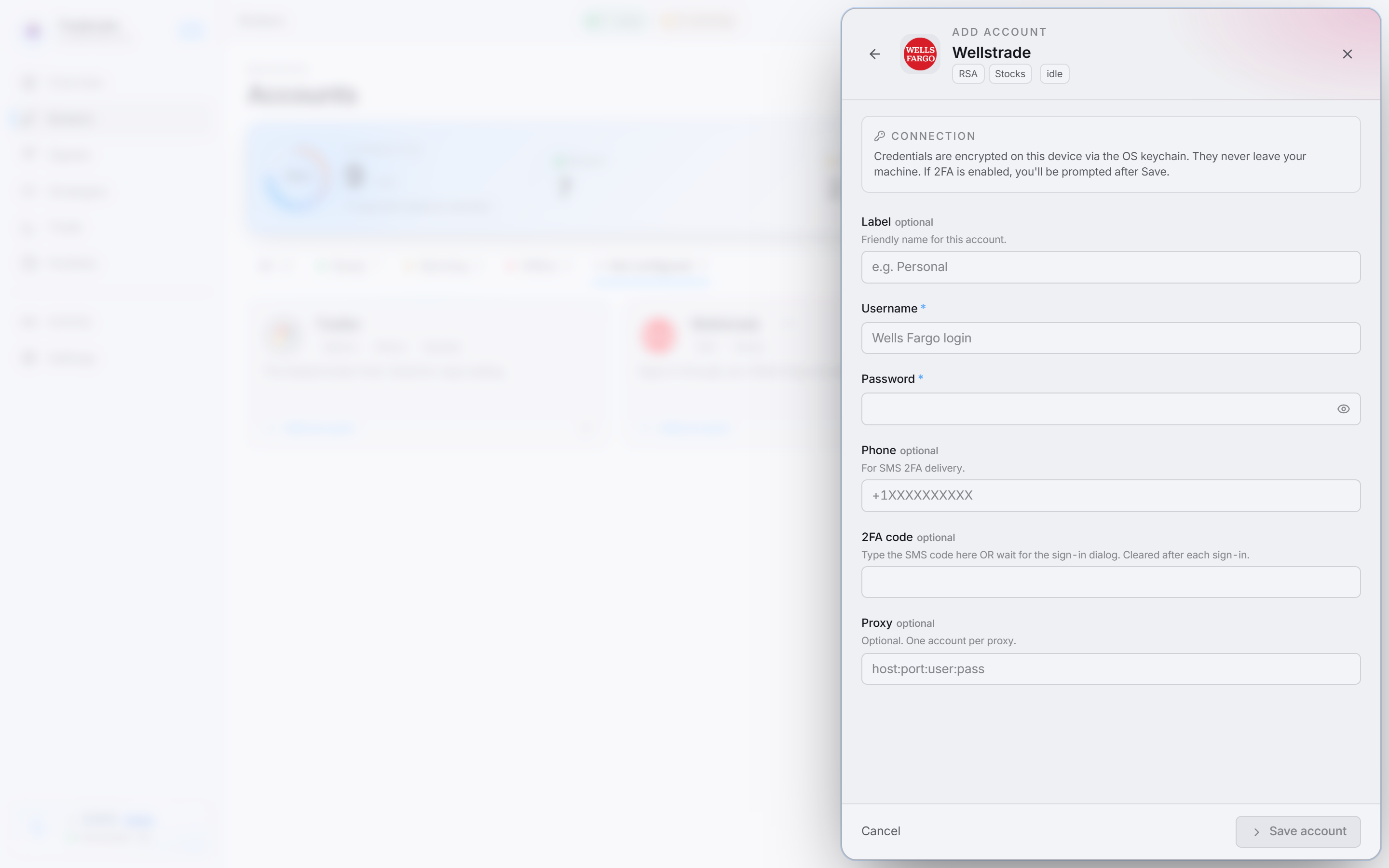 Name the account with an optional label so you can tell multiple accounts apart
 -
Click Save account. Your credentials are encrypted on your device through the OS keychain and never leave your machine.
-
Click Sign in on the account row. Wellstrade is a Chrome-emulated broker, so its status shows Warming for a few seconds while the browser wakes up.
-
Wells Fargo texts a code and the row shows an Enter verification code prompt. Type the code and click Submit.
When sign-in succeeds you see a Wellstrade signed in confirmation and the row switches to a signed-in state. After that, TradeLabs keeps the session and handles later sign-ins on its own.
Status states: Wellstrade shows as Active, Idle, Warming, or Offline. Warming is the browser starting up. Idle means it is logged in but has not been re-checked recently (normal overnight) and does not mean it is broken. Only Offline means something is actually wrong.
Fixing common problems
Each account row has a ⋯ menu with the recovery actions:
- Stuck or odd sign-in: choose Clear browser data. This wipes the saved browser session but keeps your username and password. Then click Sign in again.
- “Verify your identity” wall: Wells Fargo sometimes shows an identity check the automated flow cannot clear. Use Sign in by hand to complete the login yourself in a visible window.
- No code arrived: confirm the Phone on the account is the number Wells Fargo has on file, and that your phone has signal. Re-open the form with Edit credentials to fix it.
- Confirm it is connected: use Check connection to re-verify the account.
Do not enter the wrong password repeatedly. Too many failed attempts can lock your Wells Fargo login, which then has to be recovered on wellsfargo.com.
Using it with RSA
To open more WellsTrade accounts, sign in to Wells Fargo online banking and open each new brokerage account from there, then add each one in TradeLabs with Add account.
Once Wellstrade is signed in, add it to an RSA strategy as one of its brokers and make sure the strategy is active. See RSA setup for the full flow, and the broker limits page for per-account share and dollar caps.