Brokers
Chase
Connect a Chase self-directed investing account for RSA trading: how to prepare it, sign in through the app, and fix common connection problems.
Chase signs in the same way you would on chase.com. TradeLabs drives a real Chrome window in the background to log in for you, so it is used mainly as an RSA fan-out target: the same trade routes out to Chase alongside your other brokers.
| What it trades | Supported |
|---|---|
| RSA (reverse split arbitrage) | Yes |
| Stocks | Manual orders only, from the Trade page. An automated Stocks strategy routes to Tradier, IBKR, Robinhood, or STG / DAS instead. |
| Options, spreads, crypto | No |
Because Chase drives a real login, it is slow to wake up. The first sign-in of a session shows a Chrome window while it warms up (a few seconds). Idle at night is normal, not a broken connection.
Before you start
- An active Chase self-directed investing account. A plain checking or savings login will not trade, so open a J.P. Morgan Self-Directed Investing account first if you only have banking.
- Your chase.com username and password.
- The phone Chase uses for SMS verification. You enter its last 4 digits so the code goes to the right device.
- The TradeLabs Companion installed and running.
Connect it in the app
-
Open the Brokers page, click the Chase card, then click Add account.
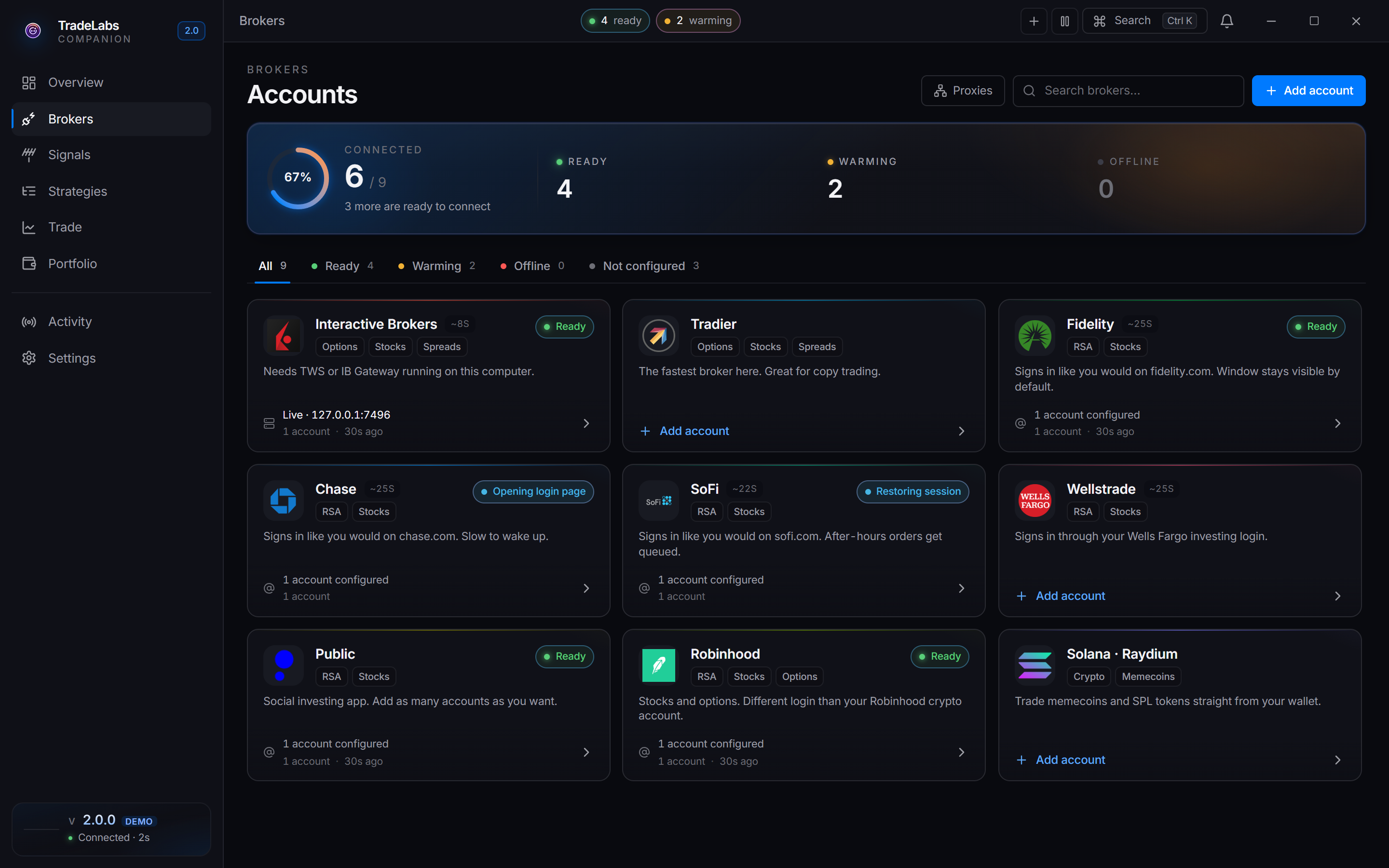
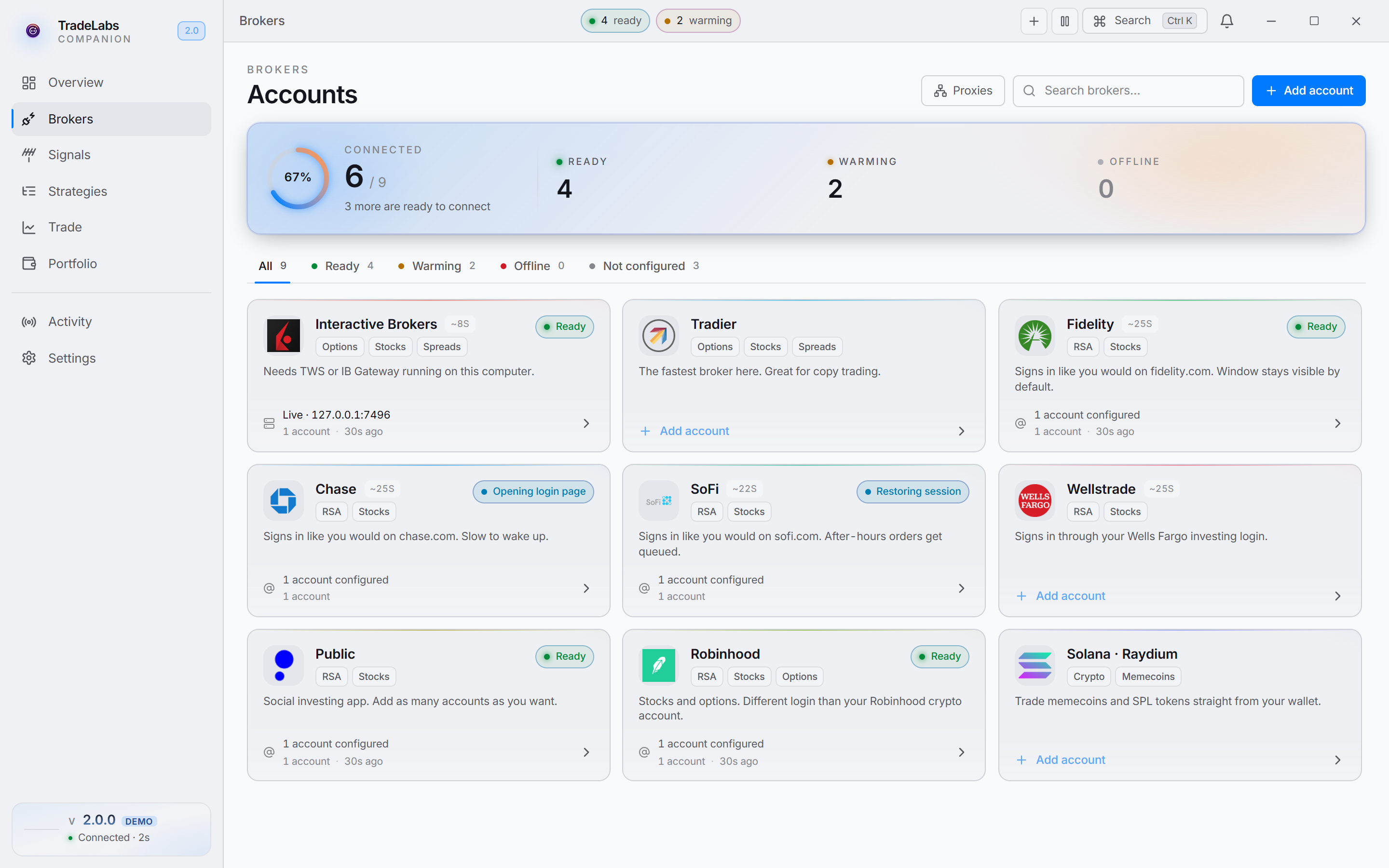 Click a broker card, then Add account, to open the connect form
 -
Fill in the connect form:
- Username — your chase.com login.
- Password — your chase.com password.
- Last 4 of phone — optional. The last 4 digits of the phone Chase texts for SMS 2FA delivery.
- Trading path — Browser (default) clicks through the Chase site for orders and holdings. Fast places orders and reads holdings much faster through Chase’s own data connection, and is newer. Sign-in always uses the browser either way. Start on Browser. Try Fast once the account is working reliably.
- 2FA code — optional. Leave it blank to enter the code at the prompt instead. It clears after each sign-in.
- Proxy — optional,
host:port:user:pass. One Chase account per proxy, and it must be a static proxy. See Proxies below.
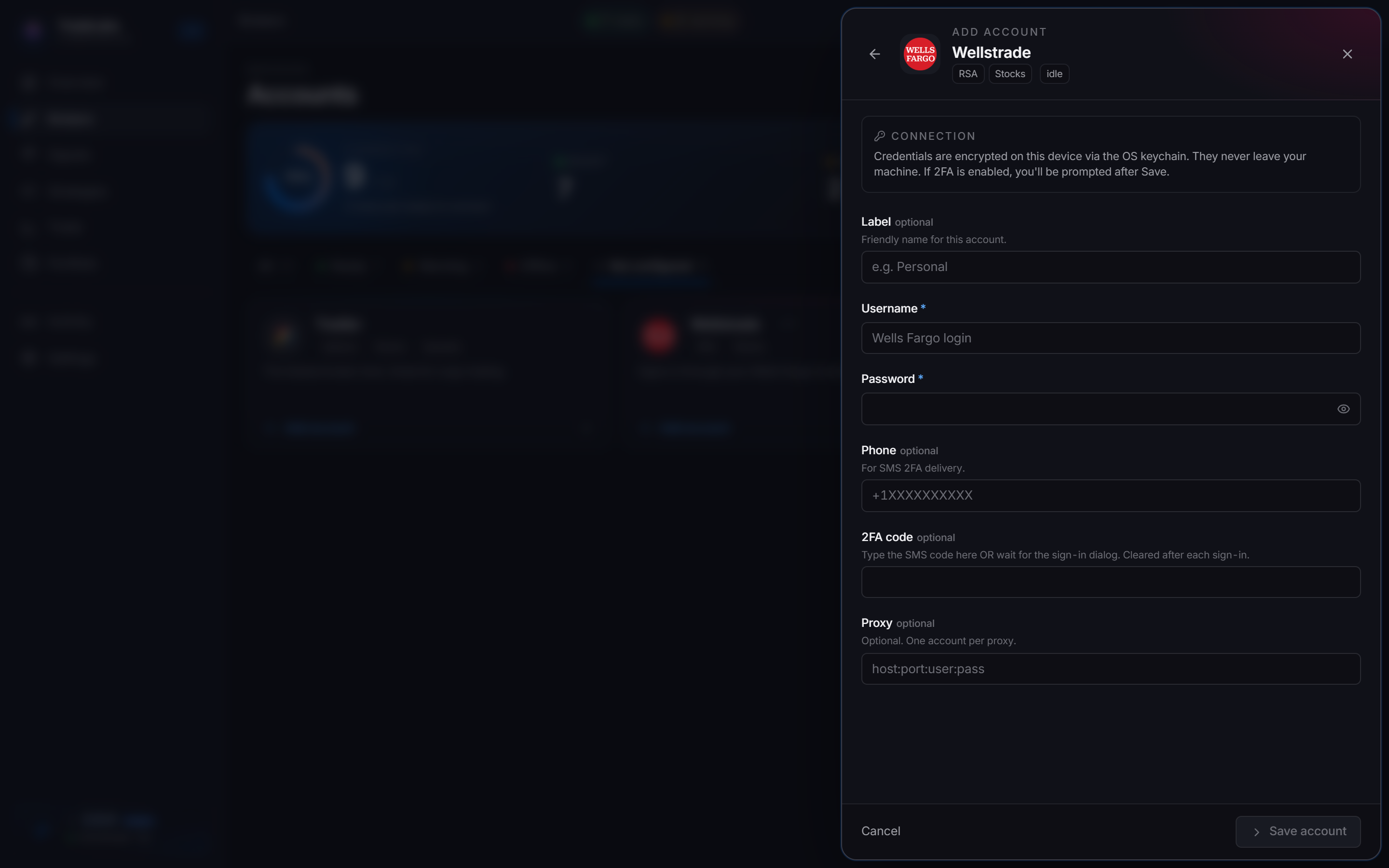
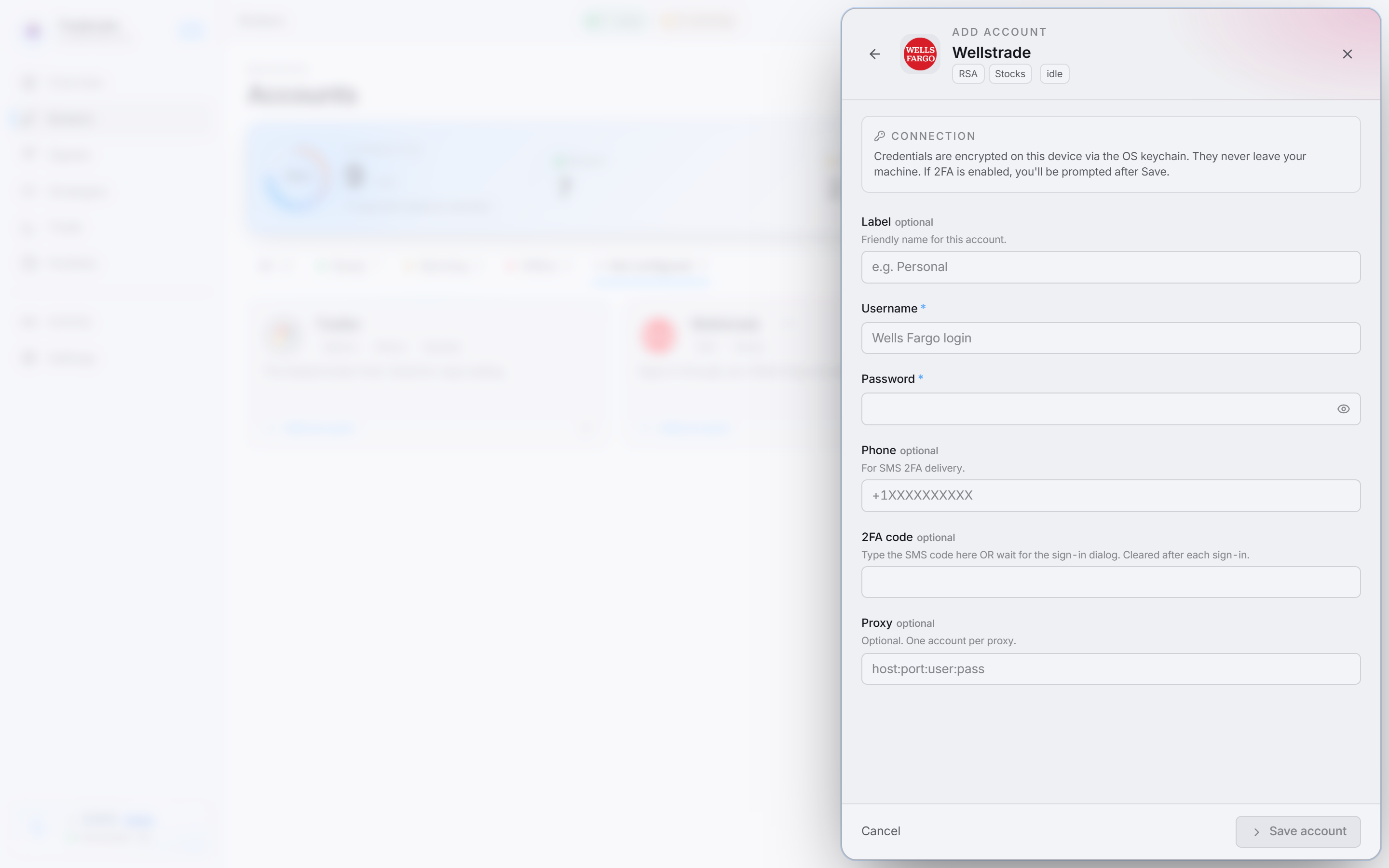 Enter your Chase details, then Save account
 -
Click Save account. Your credentials are encrypted on your device.
-
Click Sign in on the account row. Chase opens a Chrome window and logs in.
-
When Chase needs a code, the app shows an Enter verification code prompt. Type the SMS code and click Submit. (If you already typed the code in the 2FA code field, sign-in continues on its own.)
When sign-in succeeds you see a Chase signed in confirmation and the row switches to a signed-in state.
Make sure the Last 4 of phone you enter matches what Chase has on file. If it does not, the code is sent to the wrong device and sign-in fails.
Show or hide the browser window
Chase signs in through a Chrome window, which the Browser control on the account row shows or hides. The default is hidden.
- Show it for the first sign-in on a new account, so you can see each step and clear any device check Chase throws up.
- Hide it once sign-in works. Hidden is the normal setting for day-to-day trading.
- Show it again if sign-in starts failing, to see where it gets stuck.
Don’t use Chase elsewhere while connected
Chase ties a signed-in session to the computer and IP address it was created on.
- Do not log into chase.com or the Chase app on another browser while TradeLabs is connected. A second session can knock out TradeLabs’ session and force a new sign-in and a new SMS code.
- Make sure no other Chase sessions are open when you sign in through TradeLabs.
Proxies
If you route Chase through a proxy, use a static (sticky) proxy with a fixed IP, one per Chase account. A rotating proxy changes IP in the middle of a session. Chase reads that as someone stealing the session, which causes constant logouts and fraud flags. The Proxies page warns you before you pin a rotating proxy to Chase. See Proxies for setup.
Multiple accounts and sub-accounts
You can connect more than one Chase login. Add each from the Chase card the same way with Add account. Each login keeps its own credentials and signs in on its own.
If a single Chase login holds several investment sub-accounts, TradeLabs finds them after sign-in. You do not pick one during setup, and a trade fans out across the login’s sub-accounts.
Fixing common problems
- No code received: confirm the last 4 of phone match what Chase has on file, and that the phone has signal. There can be a short delay, so wait a moment before retrying.
- Code did not work: enter it as soon as it arrives, since Chase codes expire quickly. If it went stale, sign in again to request a fresh one.
- Unrecognized device or an identity wall: Chase sometimes needs you to clear a device check yourself. Use Sign in by hand from the account row’s ⋯ menu to open a visible Chrome window on Chase’s login page, complete the check, and TradeLabs takes over once you are through.
- Sign-in times out: switch the Browser control to visible and sign in again to see where it stops. Switch it back to hidden once it works.
- Logged out over and over: another Chase session is open somewhere, or a rotating proxy is changing your IP. Close other Chase logins, and use a static proxy or none.
- Sign-in keeps failing or behaves oddly: use Clear browser data from the ⋯ menu to wipe the saved session and cookies, then sign in again. Your saved username and password are kept. Use Check connection to confirm whether the account is actually authenticated.
- Account locked: after too many failed attempts Chase may lock the account. Recover it at chase.com, reset your password if needed, and wait until it is fully unlocked before reconnecting.
Each account row has a primary Sign in button and a ⋯ menu with Sign in by hand, Check connection, Edit credentials, Clear browser data, and Remove account.
Using Chase with RSA
Once Chase is signed in, add it to an RSA strategy and make sure the strategy is active. See RSA setup to build the strategy, and broker limits for the per-account caps that apply to Chase.