Risk & Exit Tools
Auto-parameters
The AI tab controls for Discord and Telegram strategies: AI selling, trim, auto stop and target, memory, and double-down protection.
Auto-parameters let the AI read quantity and exit instructions straight from a signal instead of forcing a fixed rule. They are most useful when you want to mirror a signal provider closely and let them run the trade.
These controls live on the AI tab of the strategy editor. The tab shows for Discord and Telegram strategies, since those are the sources where the AI reads free-text messages, and everything on it is optional.
Three cases are narrower than the rest:
- TradingView hides the tab outright. A TV alert carries no conversation, so there is nothing for the AI to read.
- RSA hides it on the serverside feed and shows it, trimmed to AI selling and Memory, when the source is Discord.
- Memecoins show it trimmed too — AI selling, trim selling, image processing and memory. The memecoin parser emits no quantity, strike or exit levels, so those rows are hidden rather than left wired to nothing.
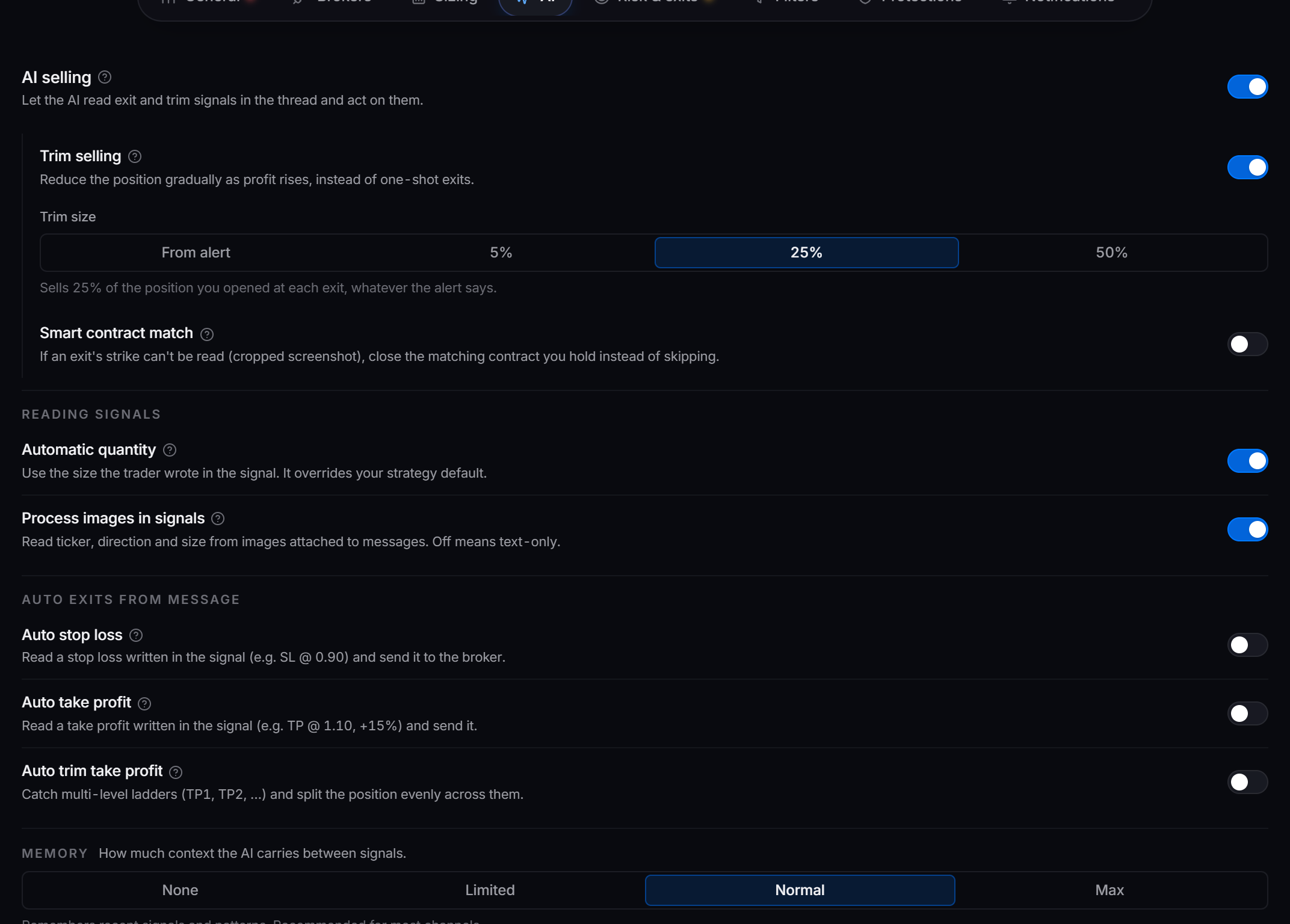
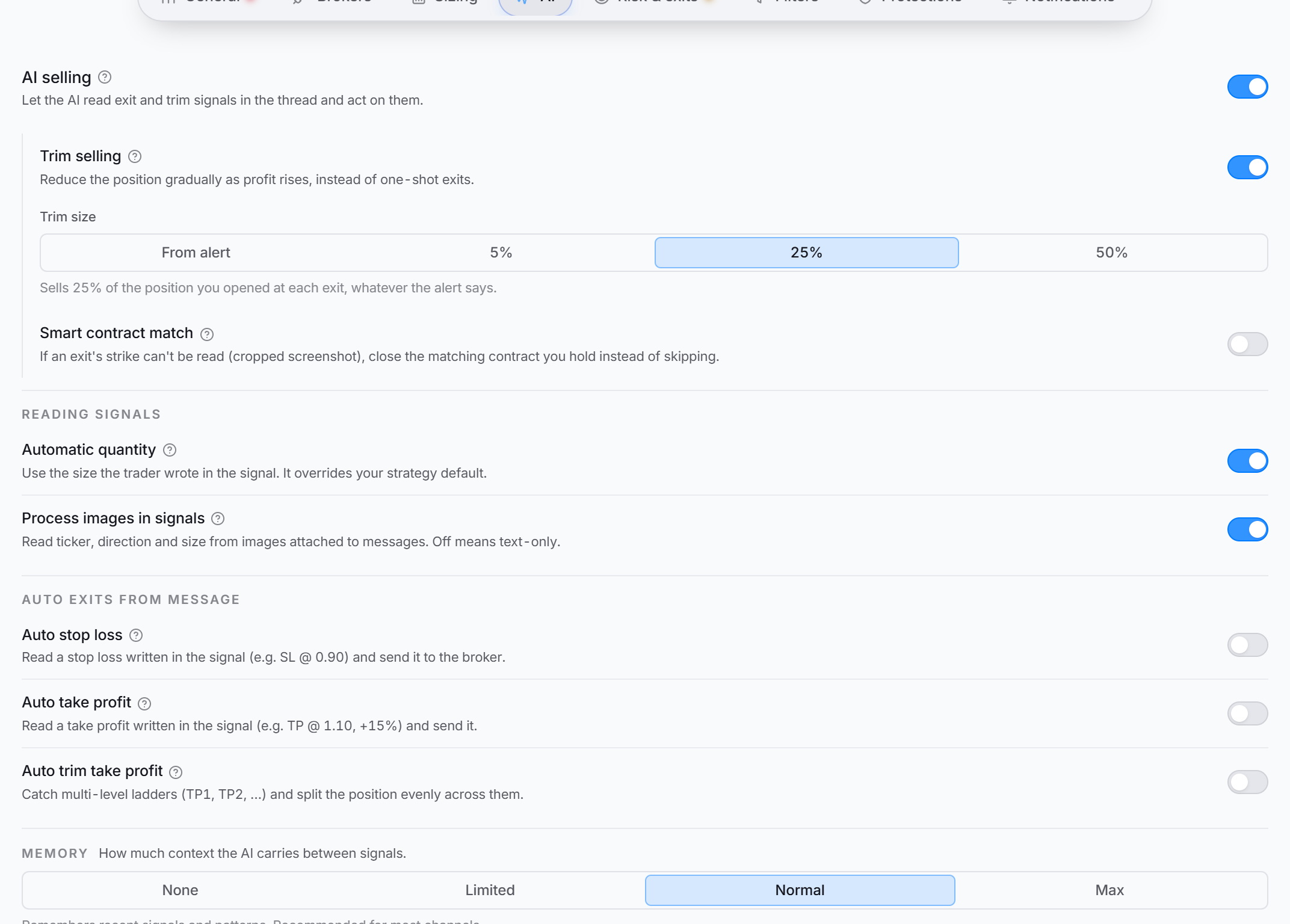 The AI tab. AI selling is the lead row, and the rows that depend on it reveal underneath when it is on.
AI selling
AI selling is the lead toggle on the tab. With it on, the AI reads the channel conversation after your entry and acts on exit and trim follow-ups, catching phrasings like “trim half here” or “stop got hit, out”. Off means sell messages are ignored.
Sell and trim signals are placed as market orders.
- Buy signal: “entering NVDA 400 calls for 6/30 @ 2.50”
- Sell signal: “exiting NVDA position”
The AI recognizes the intent to close the position and places the sell.
- Buy signal: “bullish on META, grabbing some 280 calls for next month”
- Sell signal: “META reaching our target, time to take profits”
The AI reads this as a sell without an explicit “sell” or “exit” keyword.
More controls appear underneath AI selling once it is on. On a strategy with a split exit channel, the first is Also take exits from the entry channel — off means exits come only from the exit channel or chat you picked.
Trim selling
Trim selling reduces the position gradually as profit rises, instead of one full exit. When it is on, a Trim size picker appears with the choices From alert, 5%, 25%, and 50%.
- Set a fixed percentage and the AI sells that share of the position you opened at each exit, whatever the alert says. At 50% on 10 contracts, the first trim sells 5 and the next closes the rest.
- Set it to From alert and it sells the amount the caller actually posted, so “out 30%” sells 30% of the position. A second picker — When the alert doesn’t say a size — then sets the fallback for exits like “trimming here” that name no amount: 25%, 33%, 50%, or 75%. The last exit always closes whatever is left.
Turning trim selling off does not ignore trims. With it off, a “trim half here” message is still treated as a sell, and it sells everything you hold. If your caller trims often and you want to scale out with them, turn trim selling on.
- Initial signal: “buying 10 contracts of AMZN 3300 puts for 8/20 @ 15.00”
- Trim signal: “taking some off the table on AMZN”
The AI reduces the position by your trim size.
- Initial signal: “bought 5 QQQ 360 puts for next week at 2.80”
- Trim signal: “QQQ puts up 50%, sell half”
The AI reads the intent in the message and trims the position.
Smart contract match
Smart contract match closes a position even when a cropped or blurry exit signal hides the strike. It matches the contract by ticker, expiration, and call or put against what you hold. It only ever exits, never buys, and it needs AI selling on.
When more than one held contract matches, a If more than one contract matches picker lets you choose what happens:
- Skip it is the safest. If two contracts could match, the trade is skipped so the wrong one is never sold.
- Sell oldest closes the position you opened first.
- Sell all closes every matching contract you hold for that ticker.
Reading signals
The Reading signals group controls how the AI reads each incoming message.
- Automatic quantity uses the size the trader wrote in the signal, like “3 contracts” or a “2% allocation”, and that size overrides your strategy default. Off means the signal’s size is ignored and your strategy default is used.
- Process images in signals reads ticker, direction, and size from images attached to a message, not just the text. Off means images are ignored, which keeps a chart screenshot from being misread on a text channel.
Signal: “Buying 5 contracts of $559 SPY Calls for 9/12”
With Automatic quantity on, the bot reads Quantity 5, Strike 559, Ticker SPY, Expiration 9/12.
Signal: “Looking at AAPL 150 Puts for Friday”
With no size in the message, the bot falls back to your strategy default and reads Ticker AAPL, Strike 150, Expiration Friday.
Auto exits from message
The Auto exits from message group lifts stop and target levels written in the signal itself and forwards them to the broker. These are independent of AI selling.
- Auto stop loss reads a stop written in the signal (for example “SL @ 0.90” or “stop 9%”) and sends it with the order. No stop in the message means your static stop applies.
- Auto take profit reads a target written in the signal (for example “TP @ 1.10” or “+15%”) and sends it. No target means your static one applies. Because the broker holds the take profit and stop, later “hit TP” messages are skipped.
- Auto trim take profit catches multi-level ladders like “TP1 @ 1.10, TP2 @ 1.20, TP3 @ 1.30” and splits the position evenly across the levels found. The broker runs the ladder, so later “hit TP1” messages are skipped.
Turning any of the three on reveals one more control: Wait for levels posted separately, a number of seconds. Callers who post the entry first and the stop and target in a follow-up message would otherwise have their entry fire before the levels arrived.
With a wait set, an entry still missing a stop or a target holds for up to that long, then goes with whatever came in — and it sends the moment everything is in, so the full wait only happens when nothing else is posted.
Exits are never held. Leave it at 0 and signals fire the moment they arrive.
Memory
The Memory control is a single picker with four levels for how much prior conversation the AI carries between signals.
Treats every signal as a fresh decision, with no memory of prior ones. Best for providers whose trade messages are self-contained.
Keeps the last 5 messages. Lighter and cheaper, but may miss an entry posted earlier.
Keeps the last 25 messages. Recommended for most channels.
Carries the deepest history, the last 50 messages, so the AI can resolve closes against entries posted far back. Best for channels that post long write-ups. Uses more AI credits, since each signal sends more prior messages to the model.
| Level | Messages remembered |
|---|---|
| None | 0 |
| Limited | 5 |
| Normal | 25 |
| Max | 50 |
Memory is kept per channel and per strategy, and it is saved on your computer, so it survives restarting the app. With None, a close like “out of AMZN” has no earlier entry to match against, so only use None when every message is complete on its own.
The AI reads intent, so you do not need exact wording like “selling” or “trimming”. It interprets what the message means.
Double-down protection
The control that blocks stacking into a position you already hold is not on the AI tab. Double-down protection lives on the Protections tab. It stops repeated buy signals from endlessly adding to one position.
With a blank or 0 cap, the first buy on a ticker goes through and every later add is blocked while you still hold it. Set a cap and the bot keeps adding until the cap is reached.
On IBKR and Tradier you can measure the cap three ways: Dollar value, Quantity held, or Number of adds after the first entry. DAS or STG supports the dollar cap only.
With Double-down protection on and a blank or 0 cap:
- Initial signal: “buying 4 FB 330 calls for 9/3”
- Add signal: “doubling down on FB calls”
The add is blocked once you already hold the ticker, keeping the original 4 contracts.
Set a cap and the bot keeps adding until it is reached, measured by dollar value, quantity held, or number of adds.
The cap is only offered where the broker enforces one — IBKR, Tradier, and DAS or STG. On any other broker the row is a plain on/off toggle that blocks every add, with no cap panel beneath it.
Test how a message is read
To see how the AI interprets a message before it matters, use the built-in signal tester. On a strategy’s page the button is Simulate. From the Strategies toolbar it is Test signal. It runs your typed or example message through the real pipeline (parse, filters, routing) against the strategy you pick, so you can watch how each stage reacts.
Messages to try:
- “Entering AAPL 150 calls for next Friday, 3 contracts”
- “AAPL reaching resistance, consider exiting”
- “Closing AAPL position at market”
- “Building position in TSLA 800 puts, starting with 5 contracts”
- “TSLA showing weakness, trim position”
- “Taking another 2 contracts off TSLA”
- “Long AMD 100 calls, 4 contracts, tomorrow expiry”
- “Also entering NVDA 9/12 400 puts, 2 contracts, for a hedge”
- “AMD breaking out, add 2 more contracts”
- “Closing half of the NVDA put position”
Good habits
- Watch the bot’s actions closely when you first turn these features on.
- Use clear, consistent language in your signals so the AI reads them accurately.
- Keep your risk management set, especially with AI selling and trim selling on.
- Test with the signal tester to confirm the AI reads your intentions before it counts.
Used together, these settings let a well-behaved signal provider run the whole trade for you, entry, trims, and exit, while your protections keep the risk in check.