TradingView Strategies
Stocks Strategy
Build a TradingView strategy that buys shares on a buy alert and sells them on a sell alert: setup, sizing, exits, how each broker sells, and testing.
A stocks strategy trades shares of the ticker on your chart. It is the simplest TradingView strategy: a buy alert buys, a sell alert sells.
Brokers: Interactive Brokers, Tradier, Robinhood and Charles Schwab.
Build it
-
Create your alert in TradingView and prepare it in the app. How TradingView Trading Works shows how.
-
On Strategies, click New strategy.
-
In Signal source, set Source to TradingView.
-
In Basics, set Name to your alert’s name, without any
indicator longorindicator shortsuffix. -
Set Instrument to Stocks and choose your broker on the Brokers tab.
-
Set Direction to Long or Both.
-
Set Ticker to the symbol on your chart, like
AAPL, orALLto trade whatever the alert sends. -
Set the size, a stop loss and a take profit (below).
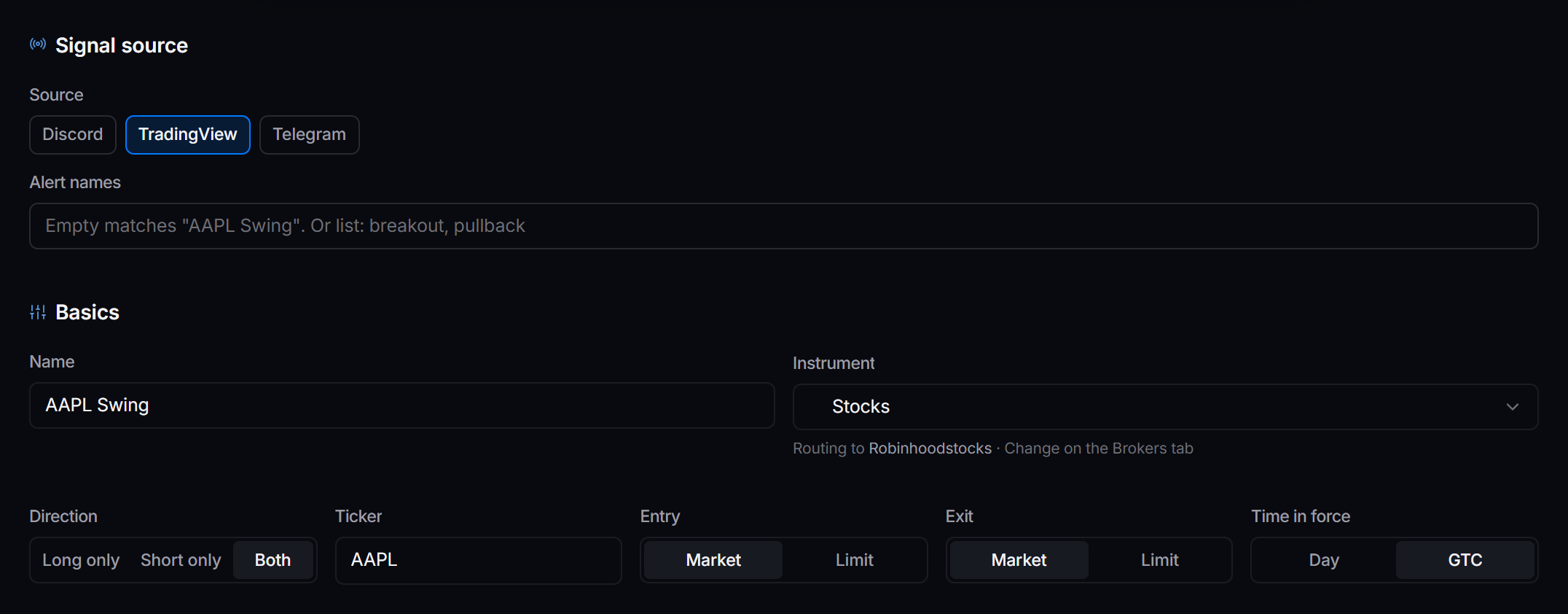
 A stocks strategy with TradingView as its source.
Order settings
| Setting | Choose | Why |
|---|---|---|
| Entry | Market to fill now, Limit to wait for your price | Limit is only offered on brokers that take it. |
| Exit | Market | A limit exit that does not fill leaves you in the trade. |
| Time in force | Day | An unfilled order is cancelled at the close, not left for tomorrow. |
| Allow extended hours | On, if you trade pre-market or after-hours | IBKR only. Spreads are wider outside regular hours. |
How much to buy
Under Sizing, set How to pick the trade size to Fixed size, then set Default quantity in one of three units.
| Unit | Example | What is bought |
|---|---|---|
| Shares | 10 | 10 shares |
| Dollars | $500 | As many shares as $500 buys |
| Percent | 5% | 5% of the account, on IBKR and Tradier |
A sell alert sizes from what is held, not from this setting.
Getting out
A sell alert is one way out. Stop loss and Take profit under Risk management are the other: they close the position if price gets there first, even with no alert.
How much a sell alert sells depends on the broker. IBKR sells only the shares this strategy bought. Tradier and Schwab sell the whole position at the broker, including shares you bought yourself. On Robinhood, a share-count size sells up to that many shares, and a dollar size sells everything held. Keep a TradingView stocks strategy in an account you do not trade by hand.
Short selling
Alerts do not open short positions on IBKR, Tradier or Robinhood. A sell alert with no shares held does nothing. Use Long or Both. Short is not a way to short a stock from TradingView on these brokers.
Test it
-
Set a small size, like
1share. -
Fire the buy alert from TradingView. Activity shows the alert, the order and the fill.
-
Fire the sell alert. The shares are sold and the position closes in Positions.