TradingView Strategies
Spreads Strategy
Turn a TradingView buy or sell alert into a vertical spread built from the live option chain: debit or credit, width, expiration, reversals and exits.
A spreads strategy turns each alert into a two-leg vertical spread. You never type strikes. When the alert fires, TradeLabs reads the live option chain and builds the spread from your settings.
Spreads work on Interactive Brokers, Tradier and Robinhood.
1. Choose what each alert opens
- Debit spreads cost money up front. You can lose at most what you paid.
- Credit spreads pay you up front. You can lose at most the width minus what you collected.
- Just close makes that alert close the open spread and open nothing. Use it to trade one way only.
2. How the legs are picked
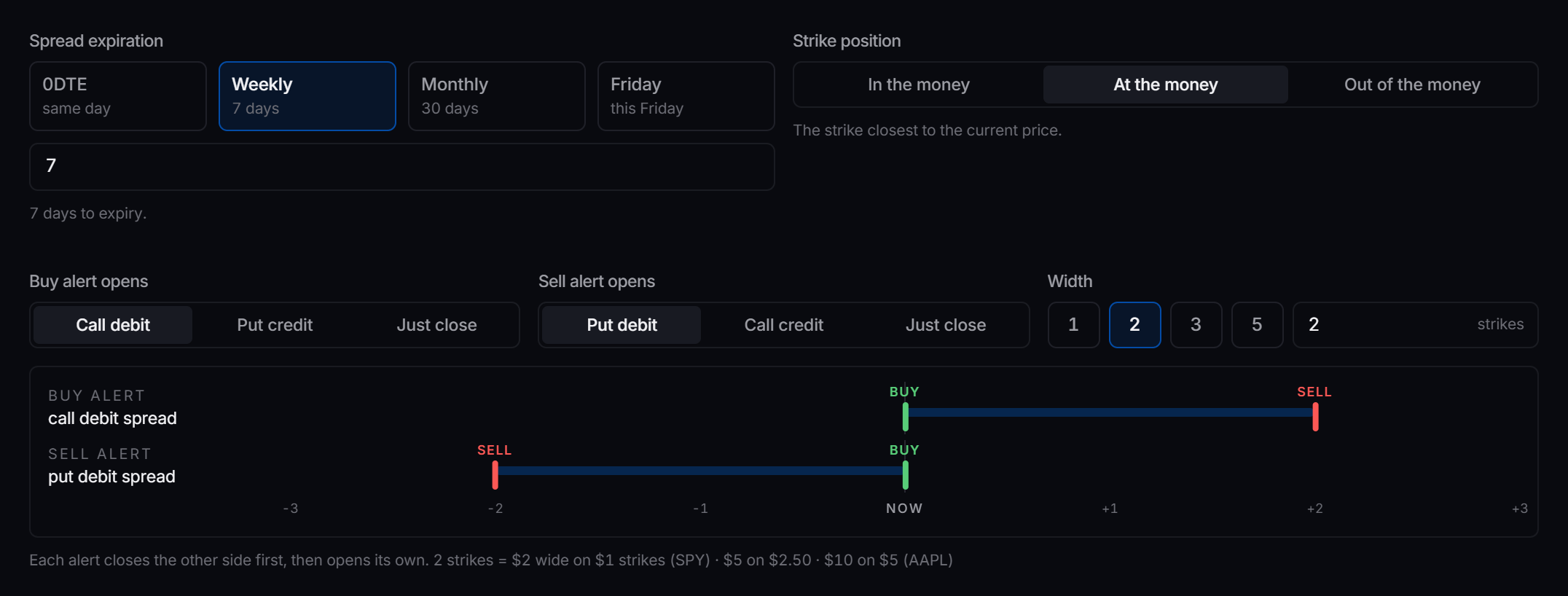
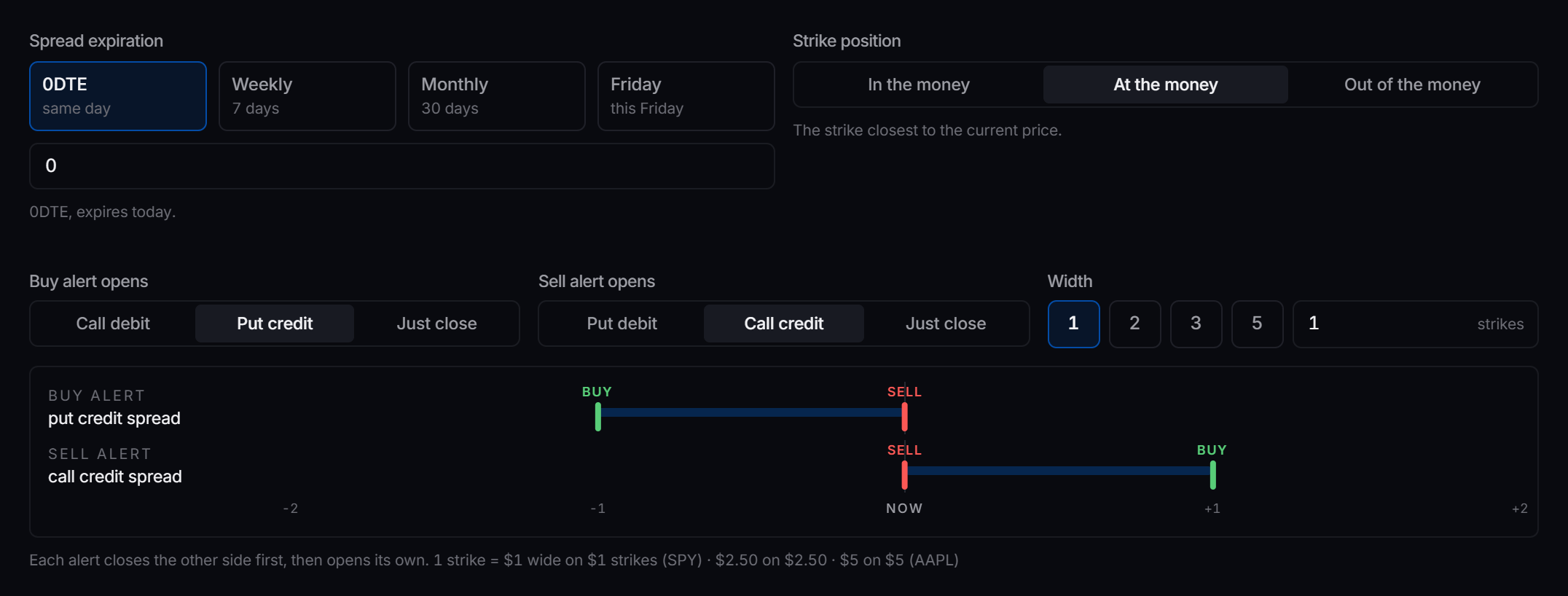
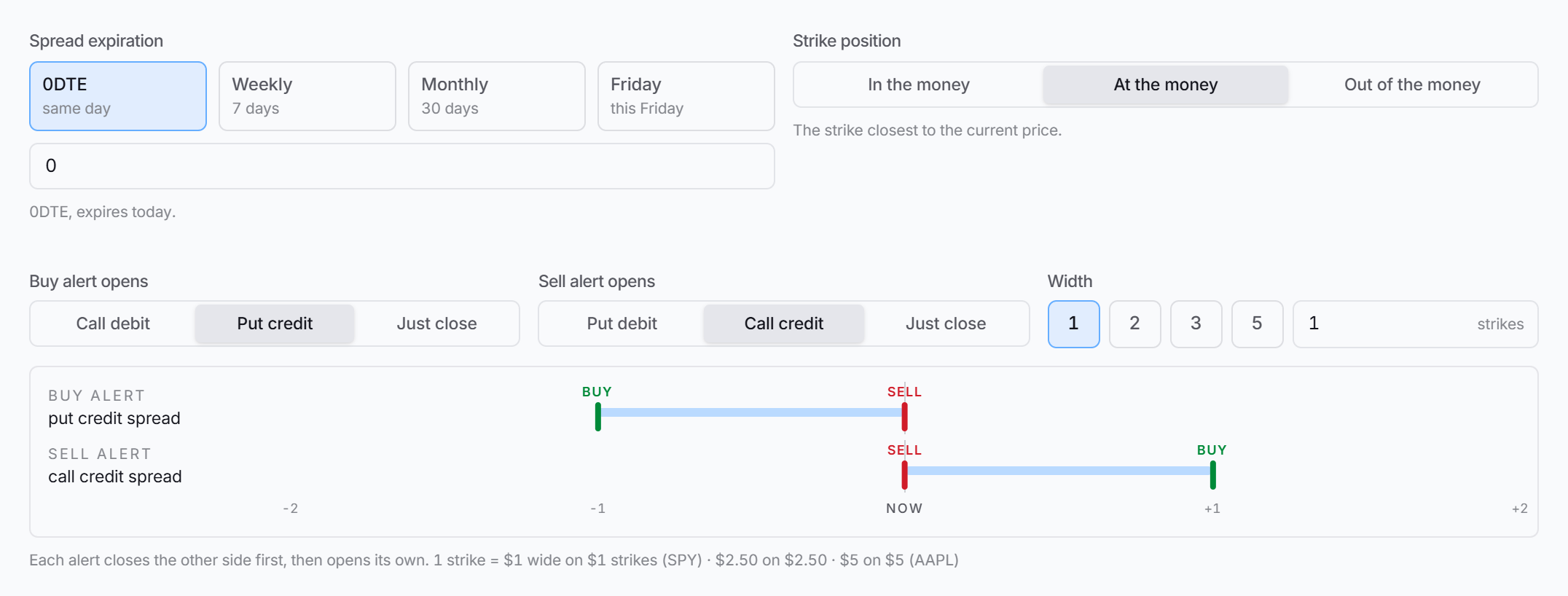
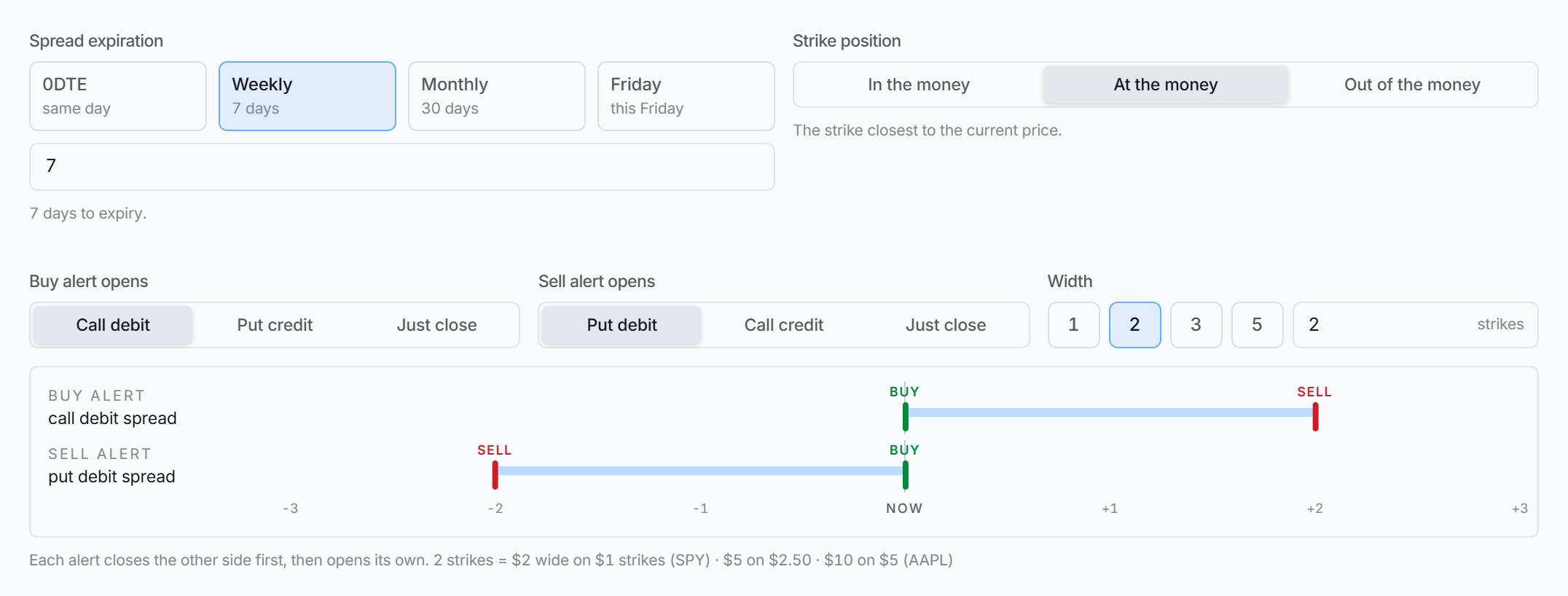 The ruler under the settings previews the legs each alert will open.
3. Build the strategy
-
On Strategies, click New strategy.
-
Set Name to your alert’s name, Instrument to Spreads, and pick IBKR, Tradier or Robinhood.
-
In Signal source, set Source to TradingView.
-
Under Spread, set Buy alert opens and Sell alert opens.
-
Set Width in strikes, Spread expiration in days, and Strike position.
-
Set Entry limit price to Ask to fill fast, Mid to split the difference, or Bid to wait for a better price.
-
Under Risk management, set a Stop loss and a Take profit.
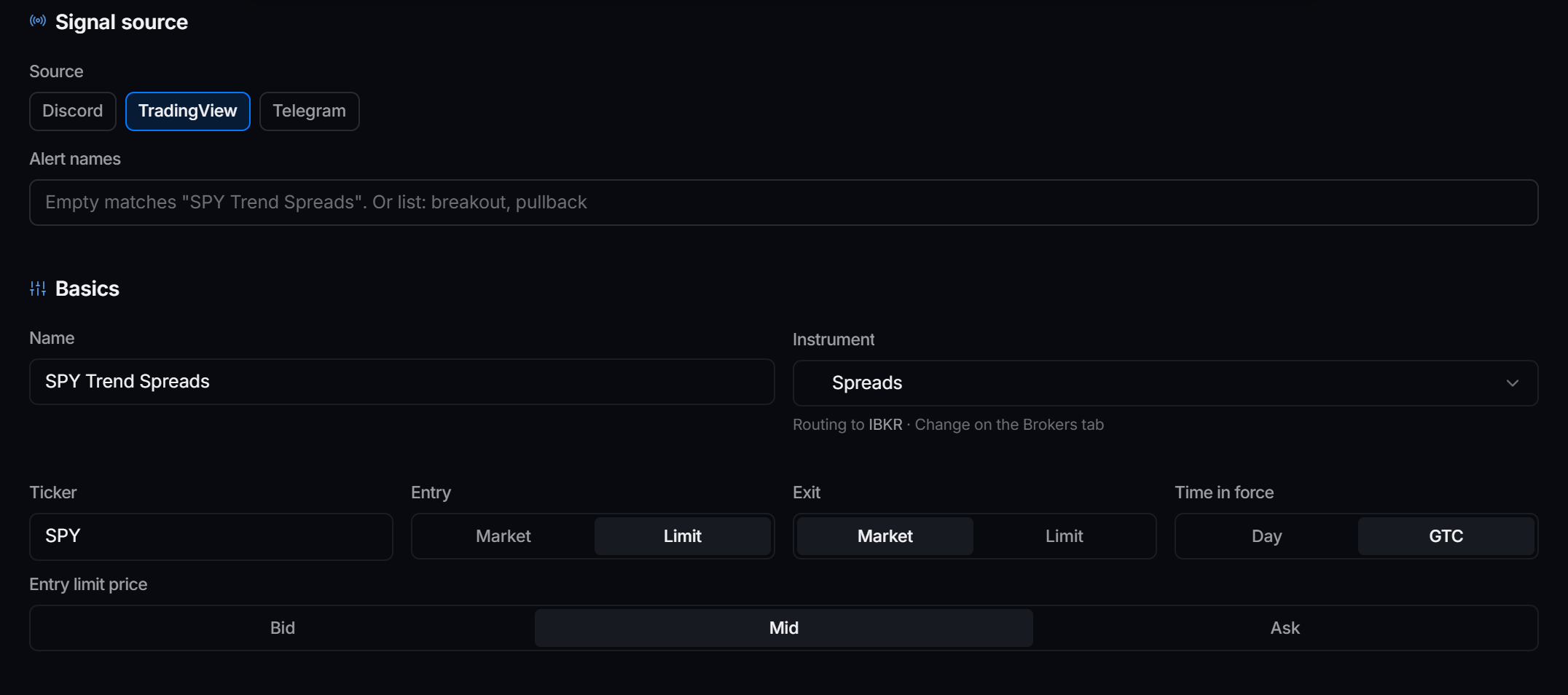
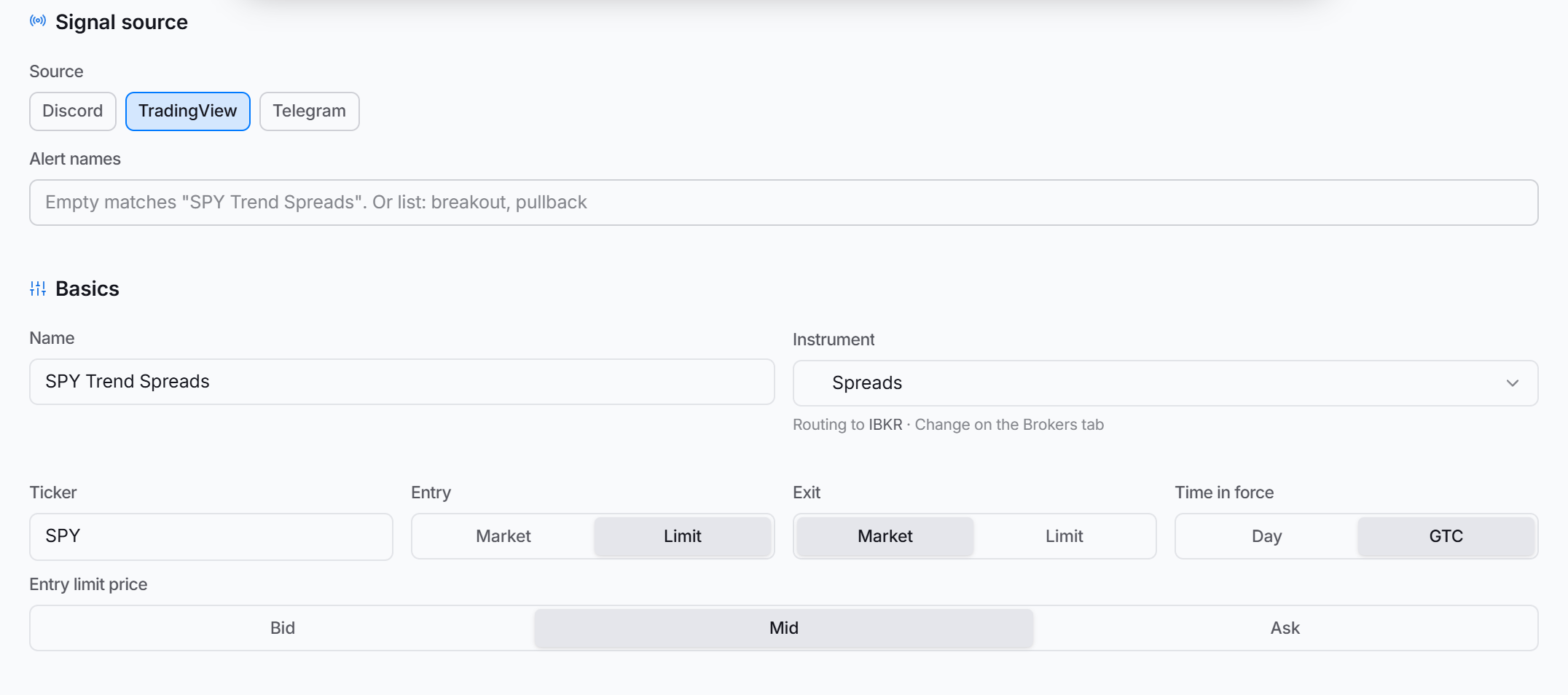 Instrument Spreads, source TradingView.
4. What each alert does
- Reversals are automatic. Holding a bullish spread when a sell alert arrives closes it first. The bearish spread opens only after the close fills.
- No stacking. A repeat alert does nothing while the spread is held, or while its entry is still waiting to fill.
- Closes always go out. Nothing blocks an alert from closing a spread you hold.
Stops and targets


Stop loss and Take profit are percentages of what the spread cost or paid. When one is hit, the whole spread closes. IBKR, Tradier and Robinhood all watch them for you. On IBKR they are measured from the price the spread actually filled at.
Credit spreads on SPX overnight
With Allow extended hours on, IBKR trades SPX, SPXW, XSP, VIX and VIXW spreads in Cboe’s overnight session, Sunday 8:15 PM to Friday 9:25 AM Eastern. Stops and targets keep working overnight. Other tickers trade in regular hours only.
Overnight option markets are wide. A tight stop can trigger soon after entry because the midpoint sits well away from the fill. Leave the stop room, or keep it for regular hours.
What cannot be traded
- Futures symbols such as
ES1!orNQ1!. Spreads are built from stock, ETF and index options. - Schwab. It does not take TradingView options or spreads.
Troubleshooting
| Activity shows | Why | Fix |
|---|---|---|
| already holds a spread | The same side is still open | Nothing. Close it or wait for the opposite alert. |
| entry waiting to fill | The last entry has not filled yet | Nothing. It blocks the repeat. |
| can’t read option chains | No broker on the strategy reads chains | Use IBKR, Tradier or Robinhood. |
| is a futures contract | The chart is a futures symbol | Chart the stock, ETF or index instead. |