Brokers
Solana · Raydium
Connect a Solana wallet to trade memecoins and SPL tokens: creating and funding a Phantom wallet, copying the private key, choosing and setting up an RPC endpoint, the optional Jupiter and Geyser settings, and fixing common problems.
Solana · Raydium connects through your own wallet, not a login. You paste a wallet private key, point it at an RPC endpoint, and the app trades memecoins and SPL tokens straight from that wallet.
| What it trades | Supported |
|---|---|
| Memecoins | Yes |
| SPL tokens (crypto) | Yes |
| Stocks, options, spreads | No |
| RSA (reverse split arbitrage) | No |
Use a fresh wallet you fund only for this. A private key gives full control of the wallet, so never reuse a wallet that holds anything you care about. The key is stored encrypted through your operating system’s keychain and never leaves this device.
Before you start
- A Solana wallet made just for TradeLabs. Phantom is the easiest.
- SOL in that wallet: enough for the trades you want to make, plus at least 0.1 SOL set aside for network fees.
- An RPC endpoint from a paid provider. You can start without one, but the public RPC is unreliable for trading. See Choose an RPC endpoint.
- The TradeLabs Companion installed and running.
1. Create a wallet and copy the private key
-
Install the Phantom extension or app from phantom.app and create a new wallet. Write down the recovery phrase and store it somewhere safe and offline.
-
In Phantom, click the gear icon (Settings).
-
Click the wallet name to open Edit Account.
-
Click Show Private Key, enter your Phantom password, and copy the key.
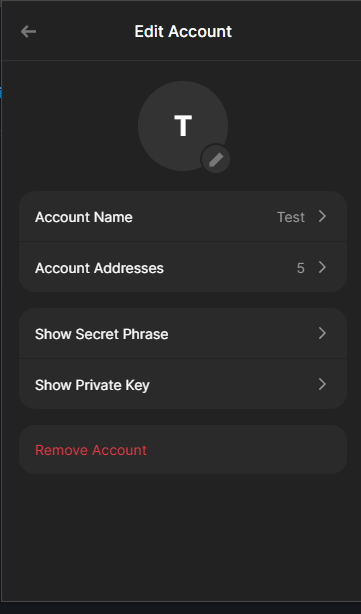 Phantom → gear icon → your wallet name. Use Show Private Key, not Show Secret Phrase.
Paste the key into TradeLabs exactly as Phantom shows it. Phantom gives you a string of about 88 letters and numbers. That is the right format and you do not need to convert it. TradeLabs also accepts the 128-character hex form some other wallets export.
Private key, not recovery phrase. The recovery phrase is 12 or 24 words. TradeLabs needs the private key from Show Private Key. Never share either one with anyone. Anyone who has the private key can move every token in the wallet.
2. Fund the wallet with SOL
-
In Phantom, click Deposit (or Buy).
-
Either send SOL from an exchange or another wallet to your wallet address, or buy SOL directly in Phantom with a card or bank.
-
Leave at least 0.1 SOL in the wallet at all times for network fees.
Every buy and every sell costs a small network fee, plus the priority fee your strategy sets. If the wallet runs down to its last few cents of SOL, swaps start failing even though you have tokens to sell. Keeping 0.1 SOL in reserve avoids that.
Create the wallet, reveal the private key, fund it with SOL, then paste the key into TradeLabs.
3. Choose an RPC endpoint
An RPC endpoint is how the app talks to the Solana network: every price check, balance read, buy and sell goes through it. Its speed and reliability decide how fast your trades land.
| Option | What to expect |
|---|---|
| Public RPC (leave the field blank) | Free, but slow, rate-limited, and unreliable under load. Fine for checking that the wallet connects. Not recommended for live trading: swaps fail and time out. |
| Paid provider (recommended) | Fast and reliable. Helius, QuickNode, Alchemy and Ankr all offer Solana endpoints, and all have a free tier or trial. |
What it costs. Most paid plans run about $10 to $50 a month. For most traders a basic plan of around $10 is plenty. Start on a free tier or trial to see how many requests your trading actually uses before you pay. Helius’s free plan is a good place to start.
How usage is counted. Providers meter requests, like a monthly allowance. The app makes requests whenever it:
- checks your open positions and wallet balance
- monitors stop-loss and take-profit levels
- refreshes prices in the portfolio
- looks up token prices for a swap
More open positions with tight monitoring means more requests.
How fast you need. Plans are often sold by requests per second:
| Rate | Good for |
|---|---|
| About 10 requests/second | Testing and light use |
| About 40 requests/second | Active trading |
| 100+ requests/second | Heavy trading, many positions at once |
Set up your endpoint
-
Sign up with a provider and pick a plan (or the free tier).
-
Create a new Solana Mainnet endpoint.
-
Copy the HTTP endpoint URL. Not the WSS one.
-
Keep it ready for the connect form below.
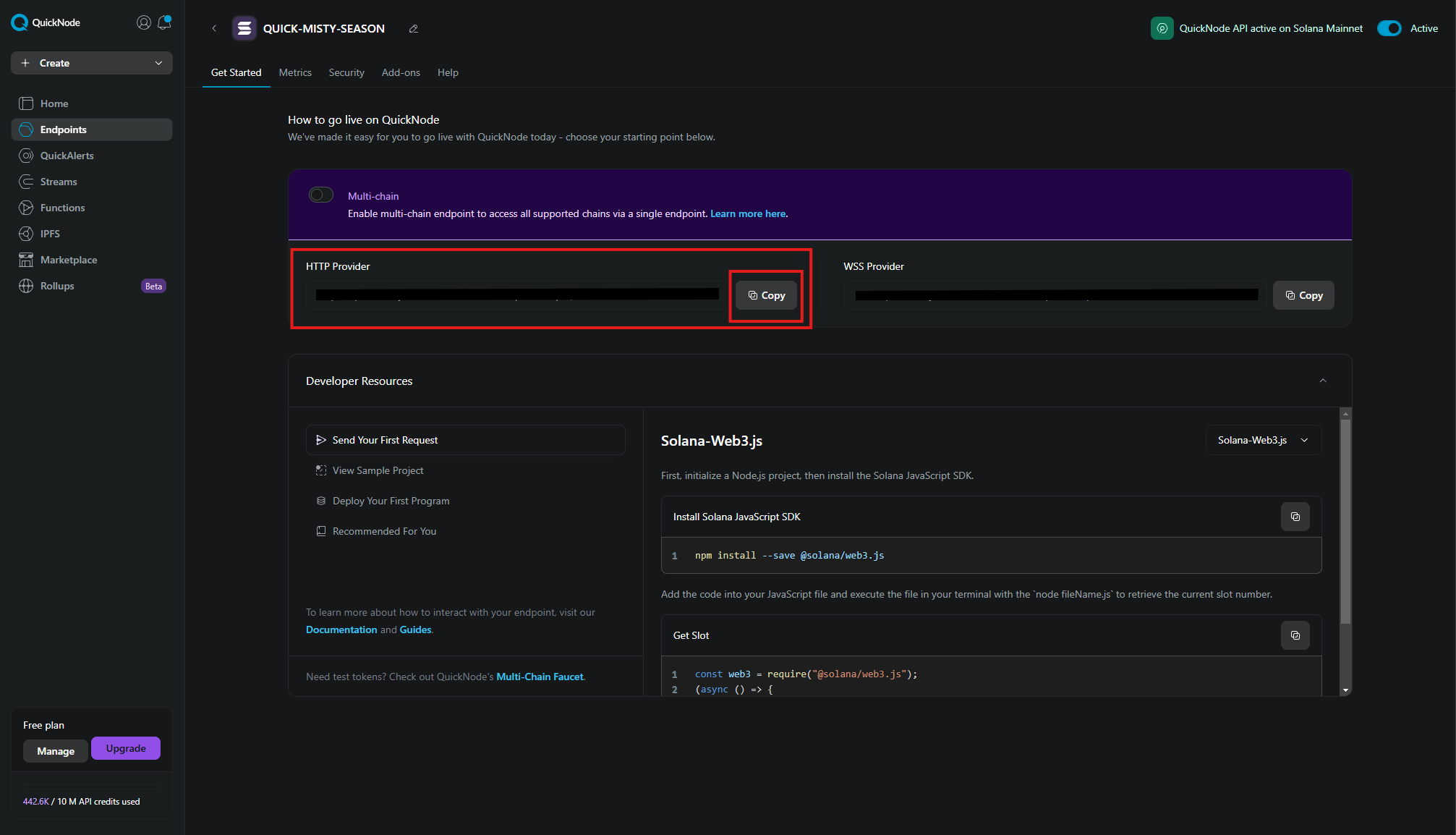 On QuickNode, copy the HTTP Provider URL. Other providers show it on the endpoint or API key page. Provider dashboards change over time, so yours may look different.
Treat your RPC URL like a password. Most paid RPC URLs have your API key built in. Anyone who has it can use up your plan’s allowance.
4. Connect it in the app
-
Open the Brokers page, find the Solana · Raydium card, and click Add account.
-
In Wallet private key, paste the key from Phantom’s Show Private Key, exactly as it appears.
-
In RPC URL, paste your HTTP endpoint. Leave it blank only if you want the public Solana RPC.
-
In Jupiter API key (optional, recommended), paste a key from portal.jup.ag. See below.
-
Leave GMGN price checking and the Geyser fields as they are unless you have a reason to change them.
-
Click Save account.
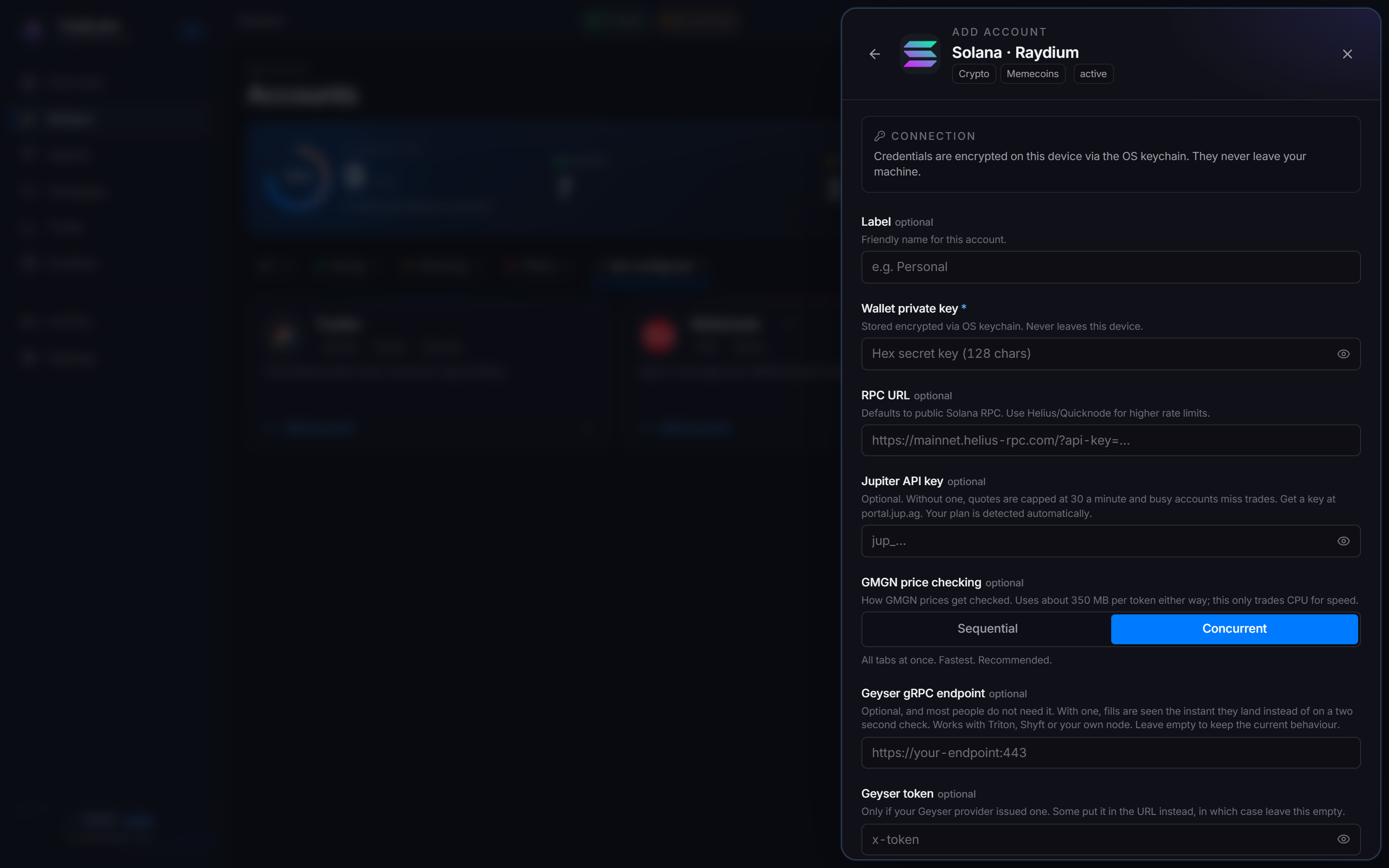
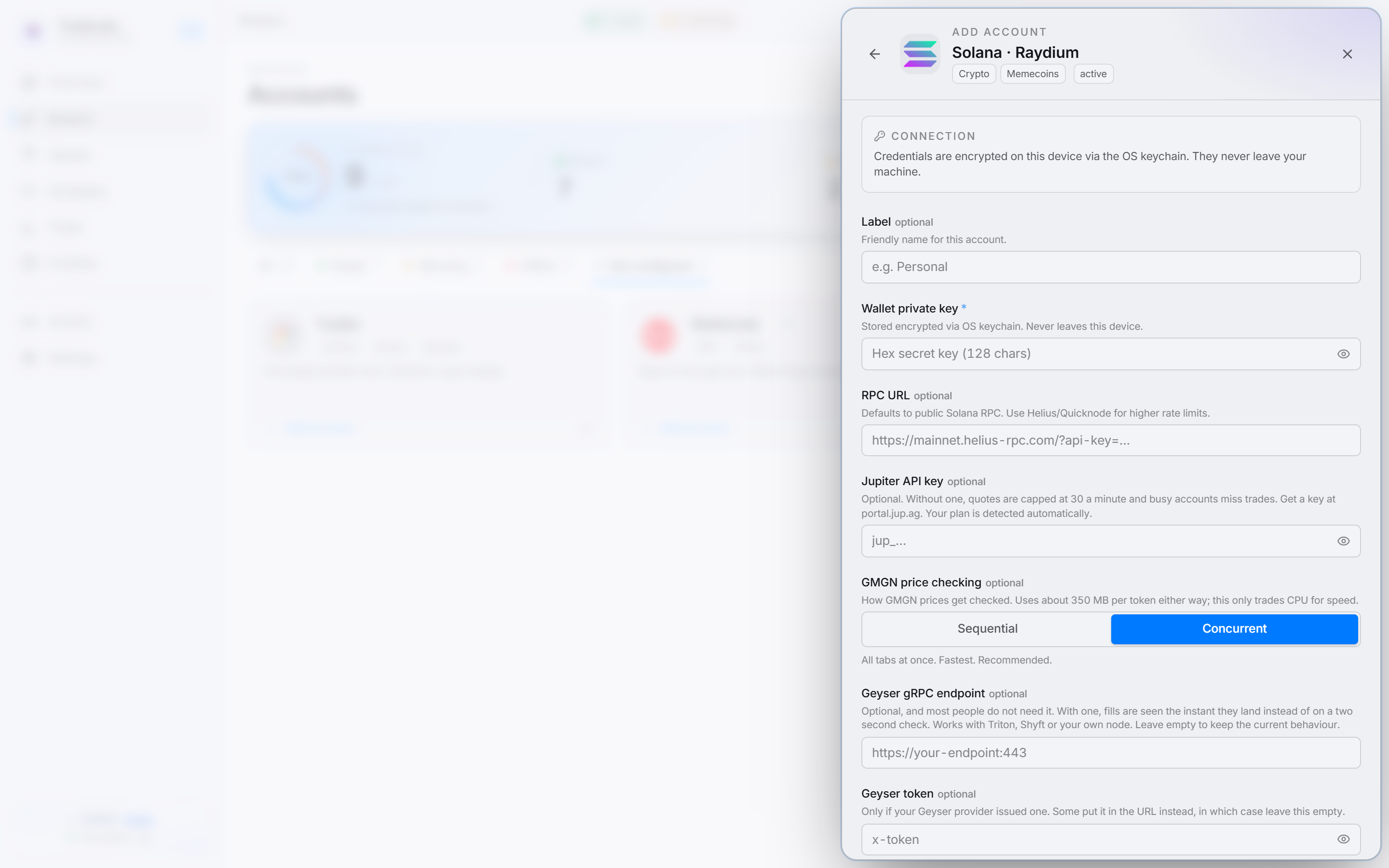 Only the wallet private key is required. RPC URL and Jupiter API key are strongly recommended.
Solana is a wallet connection, so there is no captcha or verification code. Click Sign in on the account row and the app checks the key and RPC. To recheck a saved wallet later, open the ⋯ menu on the account row and choose Check connection.
The optional fields
| Field | What it does | Do you need it? |
|---|---|---|
| Jupiter API key | Price quotes go through Jupiter. Without a key, quotes are capped at 30 a minute, which an account watching several positions can use up, and busy accounts then miss trades. Your Jupiter plan is detected automatically. | Recommended if you trade actively or hold several positions at once. |
| GMGN price checking | How the app checks GMGN prices for the tokens you hold. Concurrent (default) checks all at once and is fastest. Sequential checks one at a time and is lighter on CPU. Memory use is the same either way, about 350 MB per token. | Switch to Sequential only on a slower PC. |
| Geyser gRPC endpoint and Geyser token | With a Geyser stream (Triton, Shyft or your own node), the app sees a fill the instant it lands instead of on a two-second check. If the stream is down it falls back to the normal check. | Most people do not need it. Leave empty. |
Fixing common problems
- Sign-in fails right away: the private key is wrong or incomplete. Re-copy it from Phantom’s Show Private Key and paste the whole thing. Make sure it is the private key, not the 12 or 24-word recovery phrase.
- Swaps fail or time out: usually the public RPC rate-limiting you. Add a paid RPC URL. If you already have one, check your provider’s dashboard for errors or a used-up allowance.
- Buys or sells fail with plenty of tokens in the wallet: the wallet is out of SOL for fees. Top it up and keep at least 0.1 SOL there.
- Rate-limit errors from your RPC: your plan’s request allowance is used up. Upgrade the plan or keep fewer positions open at once.
- Quotes are slow or trades are missed when several positions are open: add a Jupiter API key to lift the 30-a-minute quote cap.
Using Solana with a strategy
Once the wallet is connected, pick Solana as the broker on a memecoin strategy and make sure the strategy is active. Trades run from the wallet you connected, so keep it funded with SOL. See Memecoins for how memecoin strategies work.