What You Can Trade
Futures
Trade futures through Interactive Brokers: the one broker that supports it, the contract-month field a futures strategy shows, and the risk tools available.
Futures strategies buy and sell exchange-traded futures contracts, driven by the calls from your signal source. A signal comes in, TradeLabs reads it, and places the matching futures order in your broker. This is a newer instrument in TradeLabs, added alongside the Interactive Brokers integration.
Which broker trades it
Futures route to Interactive Brokers (IBKR) only. Set a strategy’s instrument to Futures and the app targets IBKR for you.
| What trades futures | Supported |
|---|---|
| Interactive Brokers (IBKR) | Yes |
| Every other broker | No |
IBKR connects through the Trader Workstation (TWS) or IB Gateway software running on the same computer, not an API key. Set it up first on the Interactive Brokers broker page, and keep TWS or IB Gateway signed in and running whenever you want to trade.
Set up a futures strategy
Open a strategy from the Strategies page and set its instrument to Futures on the General tab. That restricts the strategy to IBKR and shows the fields that apply to futures. For the full walkthrough of every tab, see the strategy editor guide.
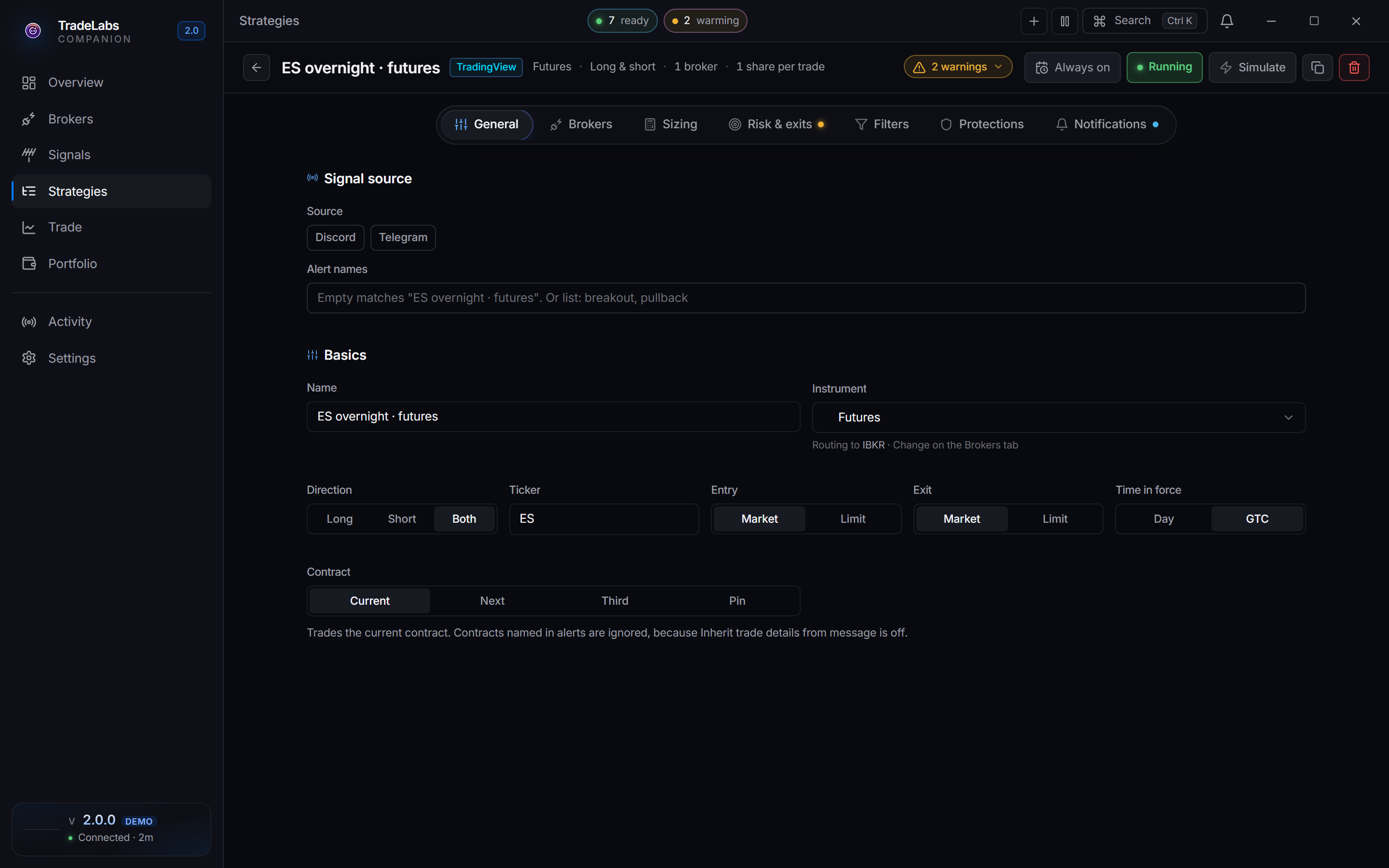
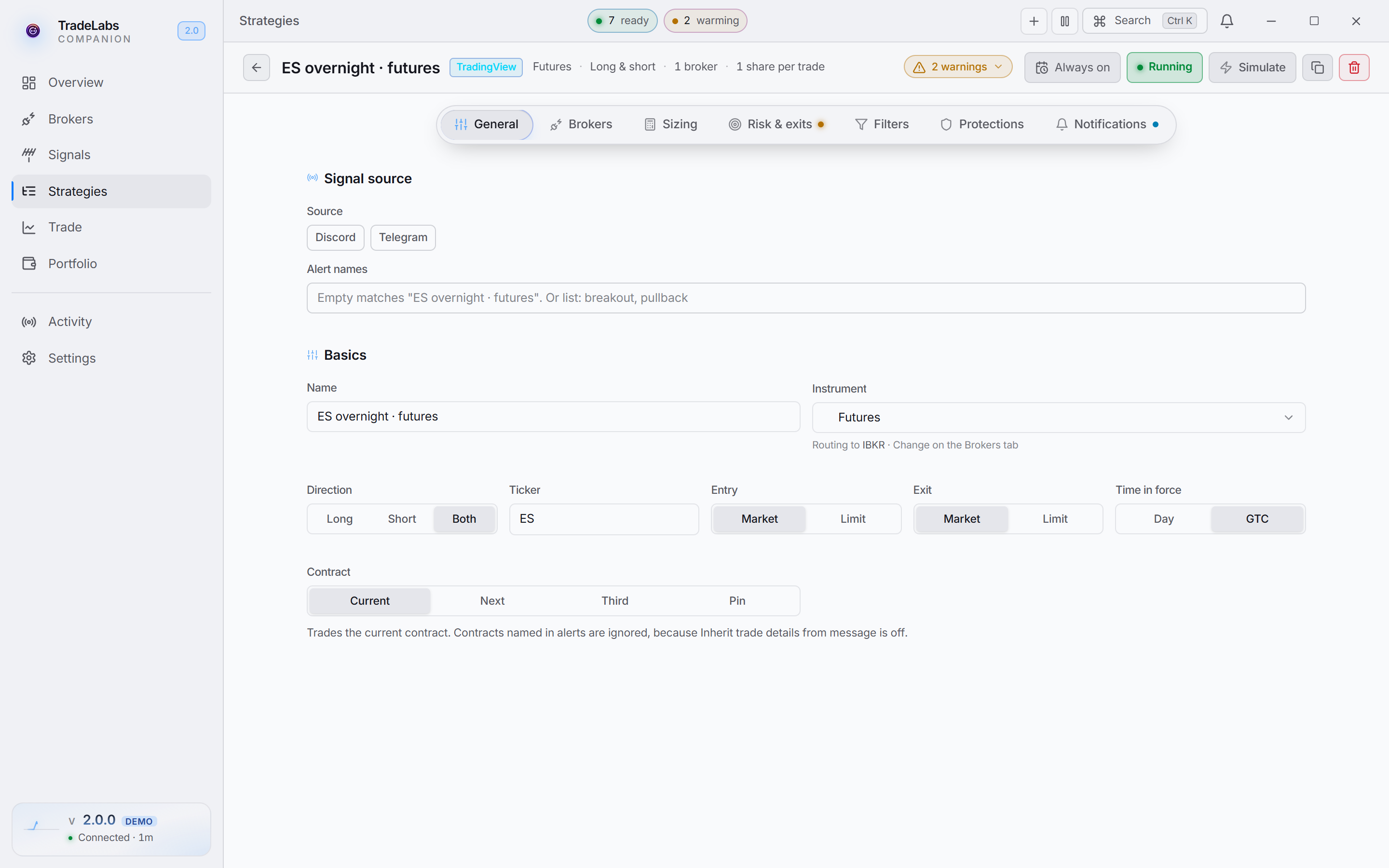 A futures strategy in the editor. Contract month replaces the option-expiration field, and the broker is fixed to IBKR.
The control that’s specific to futures is Contract, which replaces the option-expiration field. It answers one question — which contract does this strategy trade?
| Choice | What it trades |
|---|---|
| Current | The front month. Rolls forward on its own as contracts expire. |
| Next | One month out from the front. |
| Third | Two months out. |
| Pin | A specific month you choose. Picking Pin reveals a Which month list, read live from the IBKR contract chain. |
The chain lookup needs a concrete symbol, so with Ticker set to ALL — or with IBKR not running — the Pin list falls back to a plain YYYYMM box that the broker validates.
Inherit trade details from message interacts with this. With it on, a contract named in the alert wins, and the choice above becomes the fallback for alerts that name none. The footer under the control always says which contract will actually trade.
Direction, sizing, entry method, and time in force work the same as any other strategy. Entry and exit can be Market or Limit on IBKR; a Limit order adds a Bid / Mid / Ask price side. Like crypto, futures take Discord or Telegram signals — TradingView is not offered for this instrument.
Risk and exits
On the Risk & exits tab a futures strategy can set a Stop loss, Take profit, and Trailing stop, each as a dollar amount or a percentage. Leave a field empty to skip it. Futures move fast and are leveraged, so size small and give your stop room while you’re learning how a contract behaves.
Next steps
- Connect the broker on the Interactive Brokers broker page.
- Start from ready settings with the Futures template.